Automatic inventory keeps computer information up to date after real changes, rather than waiting for the next manual audit. The Admin Desk agent sends hardware and software data to the server and adds current technical information to the device record.
Configuration and installed software
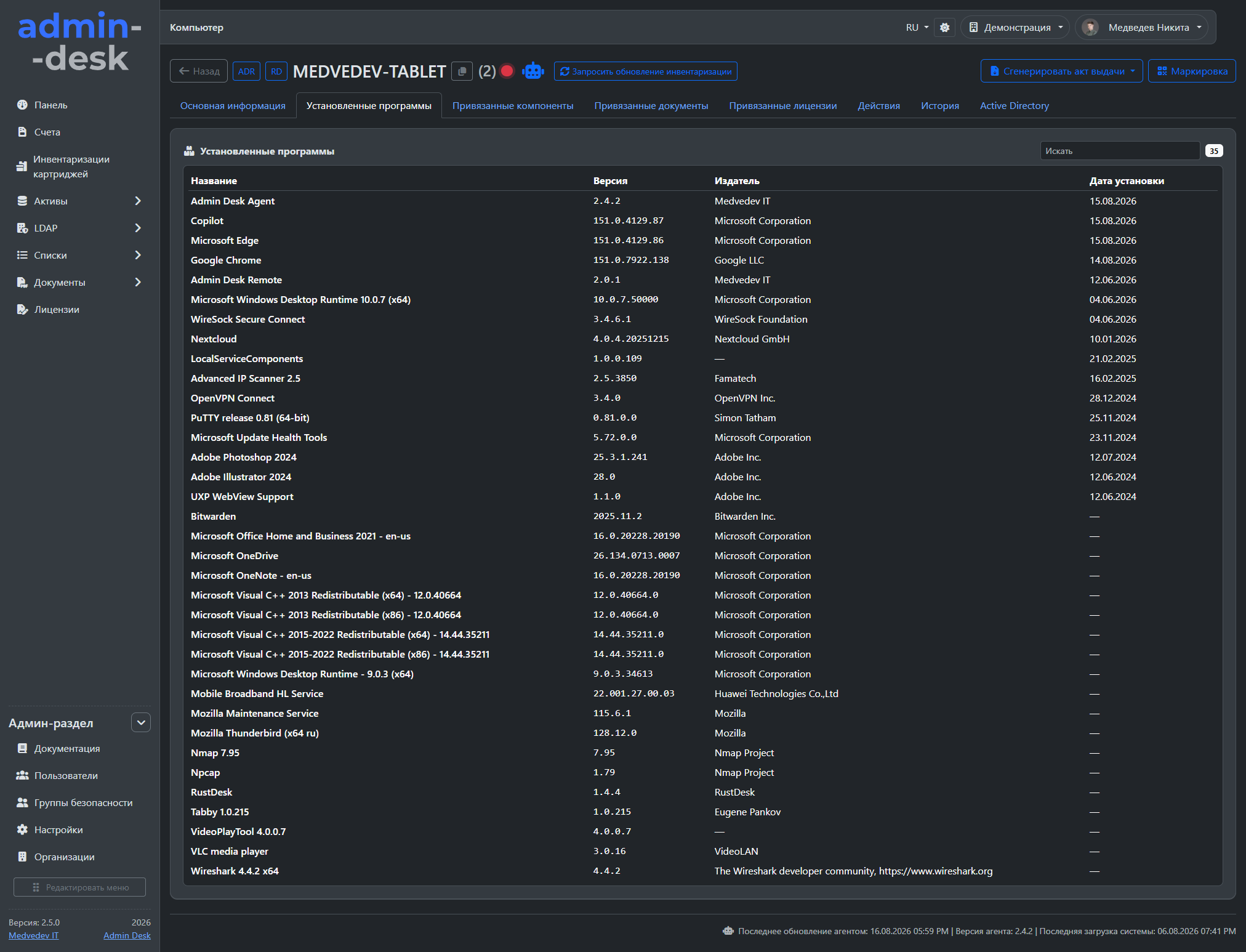
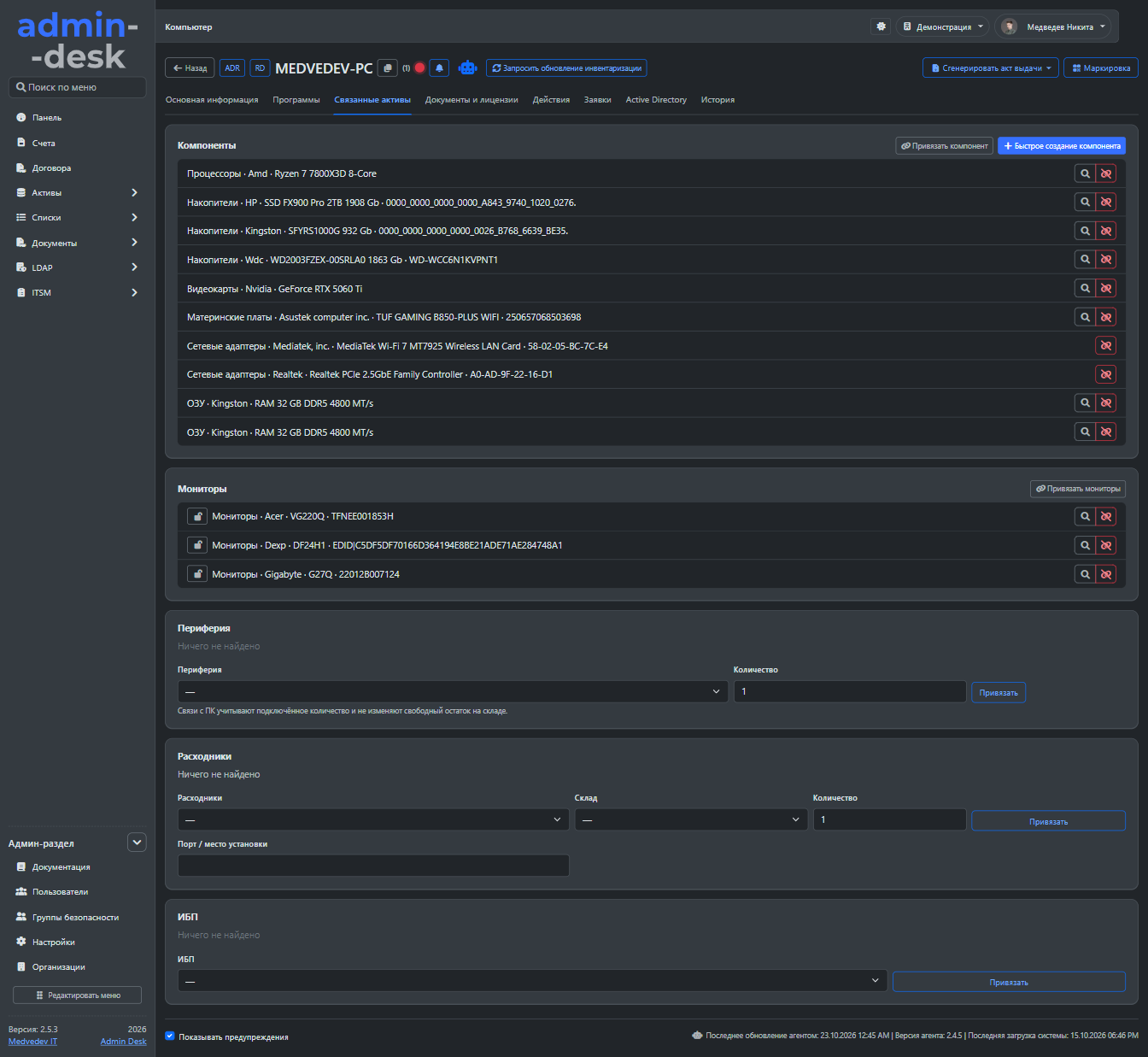
Inventory supplies hardware specifications, operating-system information and installed applications. A dedicated software tab shows the collected application list, while linked components describe the computer's configuration without entering every item again manually.
Dynamic information includes the last update time, logged-in user, system startup time and external IP address. This helps distinguish a fresh inventory from an old record before relying on it for troubleshooting.
Components and virtual machines
The server matches computers and serialized components against existing inventory. Before creating a record, it looks for a PC by UUID and name, and for components by type and serial identifier. This matters when reinstalling an agent or working across several organizations.
Agent data also supports automatic relationships between virtual machines and their hypervisors. The host record can show its related VMs, making it easier to navigate between the physical platform and the virtual systems it runs.
Administrative information stays under your control
The agent does not replace asset-management decisions. Inventory numbers, purchase and warranty dates, the assigned employee and location are not automatically changed by a technical scan. The person currently signed into Windows is not necessarily the person formally assigned the computer.
Department assignment has explicit automation rules: synchronize from the assigned employee or match the computer name against regular expressions. Employee-based assignment checks that the employee's primary organization matches the PC's organization. Repetitive updates can therefore be automated without relying on implicit assumptions.
Deployment and organizations
Centralized deployment uses the installer and available GPO/ADMX settings. An organization code can be set in the installer, policy or local panel; an empty value selects the primary organization. Devices belonging to different companies can report to one Admin Desk installation while retaining the correct working context.
If the device already exists in another organization, it can be moved instead of duplicated. Pinning the organization prevents an automatic move. For a PC, this protection also covers installed components, except monitors.
Fresh data and follow-up actions
With the required permissions and direct network reachability, the web record can request a fresh inventory. Available buttons reflect the agent state and server configuration. The agent also supplies information for remote-access integrations, including a discovered RustDesk ID when that integration is configured.
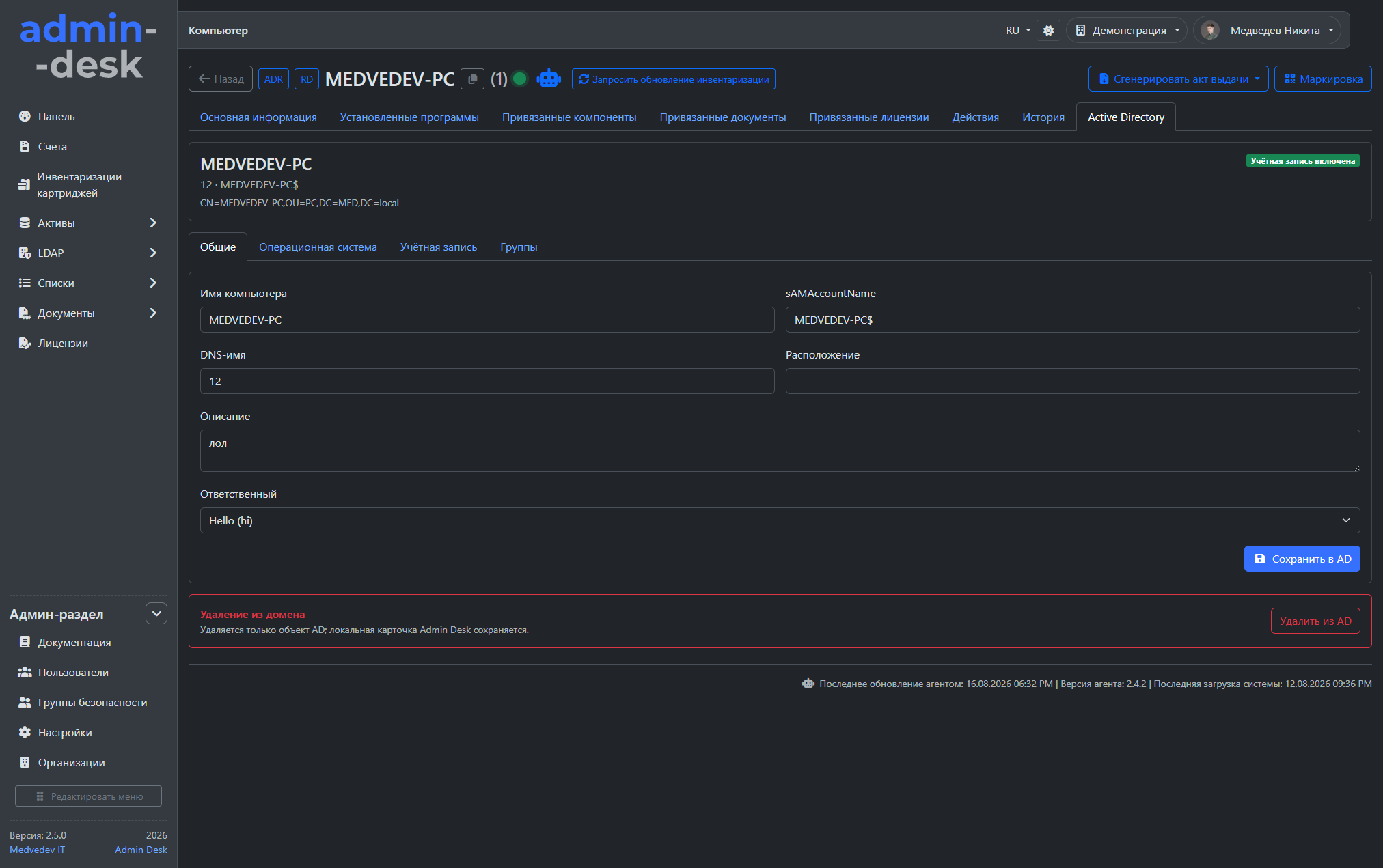
The Active Directory computer object complements the technical record but serves a different purpose: directory attributes describe the domain object, while inventory describes the equipment.
Automation triggered by inventory
An inventory update can trigger an automation rule. The rule checks conditions against the reporting computer and runs prepared scripts on that machine or a selected target. Execution requires configured WinRM or SSH and the necessary reachability.
Execution, permissions and result history are described in remote support and automation.