Populate an invoice in one click
Upload a file and start recognition to populate detected invoice details and purchase contents. No need to retype the document
Explore purchasing Made in Russia
Listed in the Russian software registry
Made in Russia
Listed in the Russian software registry
Assets and peripherals, one-click invoice autofill, remote support, tickets and projects in one system. Tailor workflows to your team, automate repetitive work and keep context without switching between spreadsheets and tools
Automatic inventory, invoice recognition, issue acts and remote actions replace repetitive manual work
No device limits; updates included, technical support is provided under a separate agreement
Reduce manual entry, speed up everyday operations and keep your team's work in control
Upload a file and start recognition to populate detected invoice details and purchase contents. No need to retype the document
Explore purchasingSet up categories, deadlines, personal columns and AND/OR rules. Change block order, width and visibility to keep what matters on screen
Explore ITSMEquipment, employees, tickets, invoices and documents are connected. Follow links to get context without matching records manually
Explore asset managementApps for Android and iPhone for on-site inventory, asset search and code scanning. The Android app is also available in RuStore



The external systems and protocols that Admin Desk already works with in real deployment scenarios
A simple non-exclusive license is provided for one year. Choose the base platform or add Multi-organization and ITSM modules
Core CMDB/ITAM, inventory, asset, document, license, invoice, reporting and administration functions
Request a quoteThe base Admin Desk platform with separate organization contexts and working databases
Request a quoteThe Admin Desk base platform with tickets, projects, teamwork and task acceptance
Request a quoteThe complete Admin Desk configuration for multi-organization IT service management
Request a quoteEach additional module costs RUB 40,000 per year. Updates are included during the license term. Support, implementation, configuration, migration and training are provided under separate agreements
Multi-organization and ITSM modules can be purchased while using Admin Desk. The upgrade is formalized by an addendum to the primary license agreement
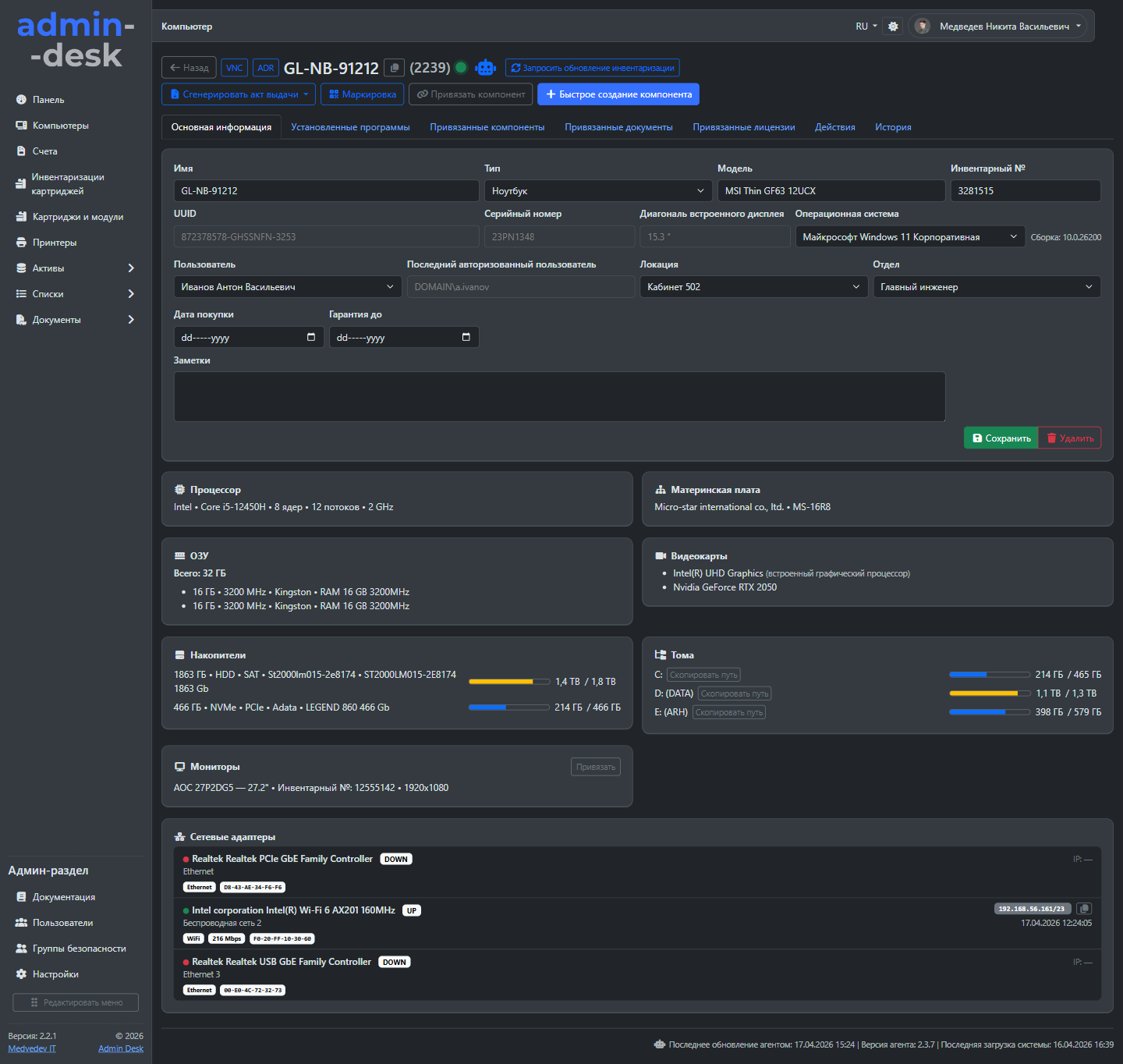
The device card shows the user, location, components, documents, invoices, change history and everything an IT team needs in daily work
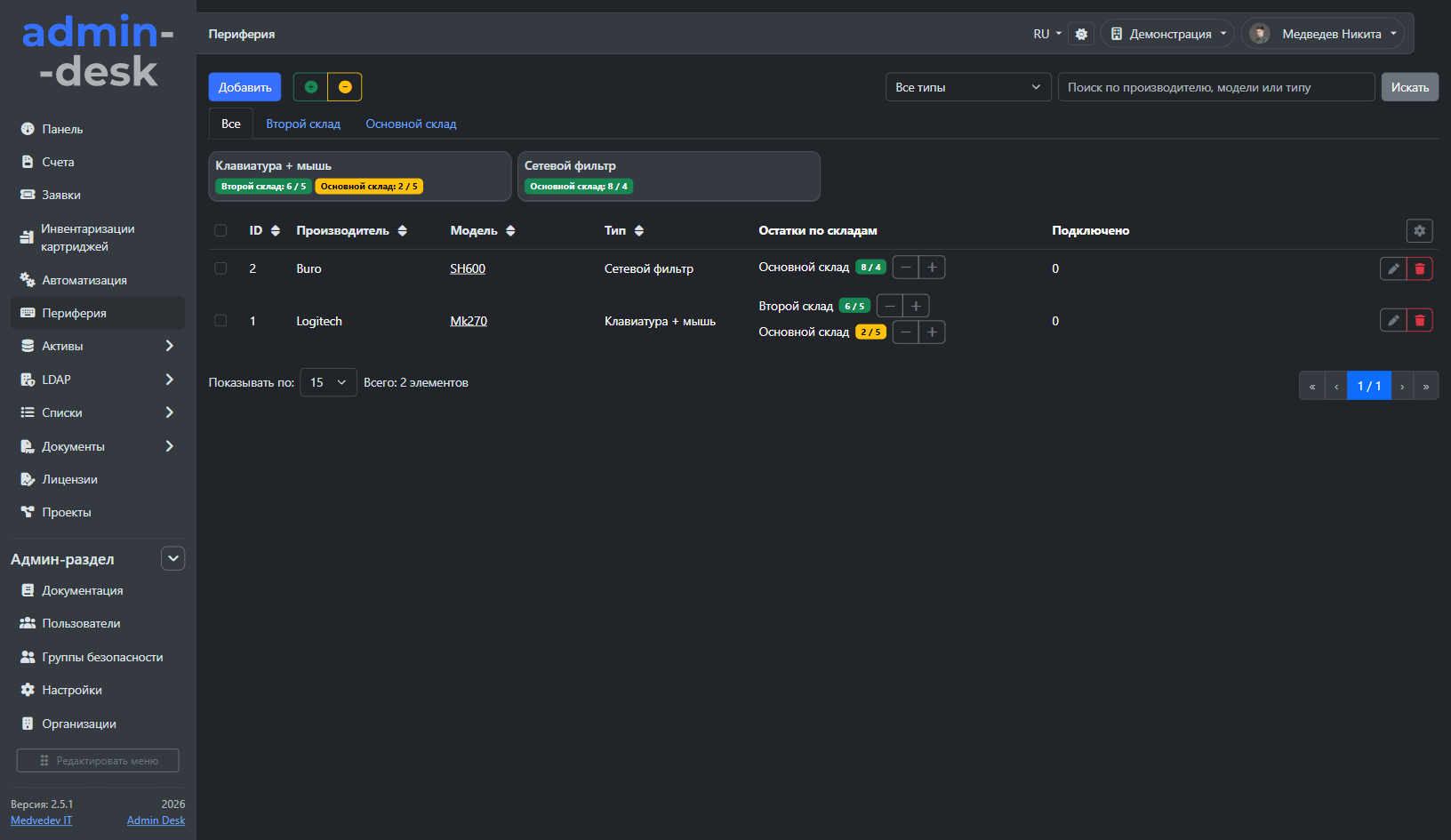
Track keyboards, mice, headsets and other peripherals by model and warehouse. Type summaries and minimum stock levels help spot shortages before an employee needs an item
Explore the interface and try this workflow in the Admin Desk online demo
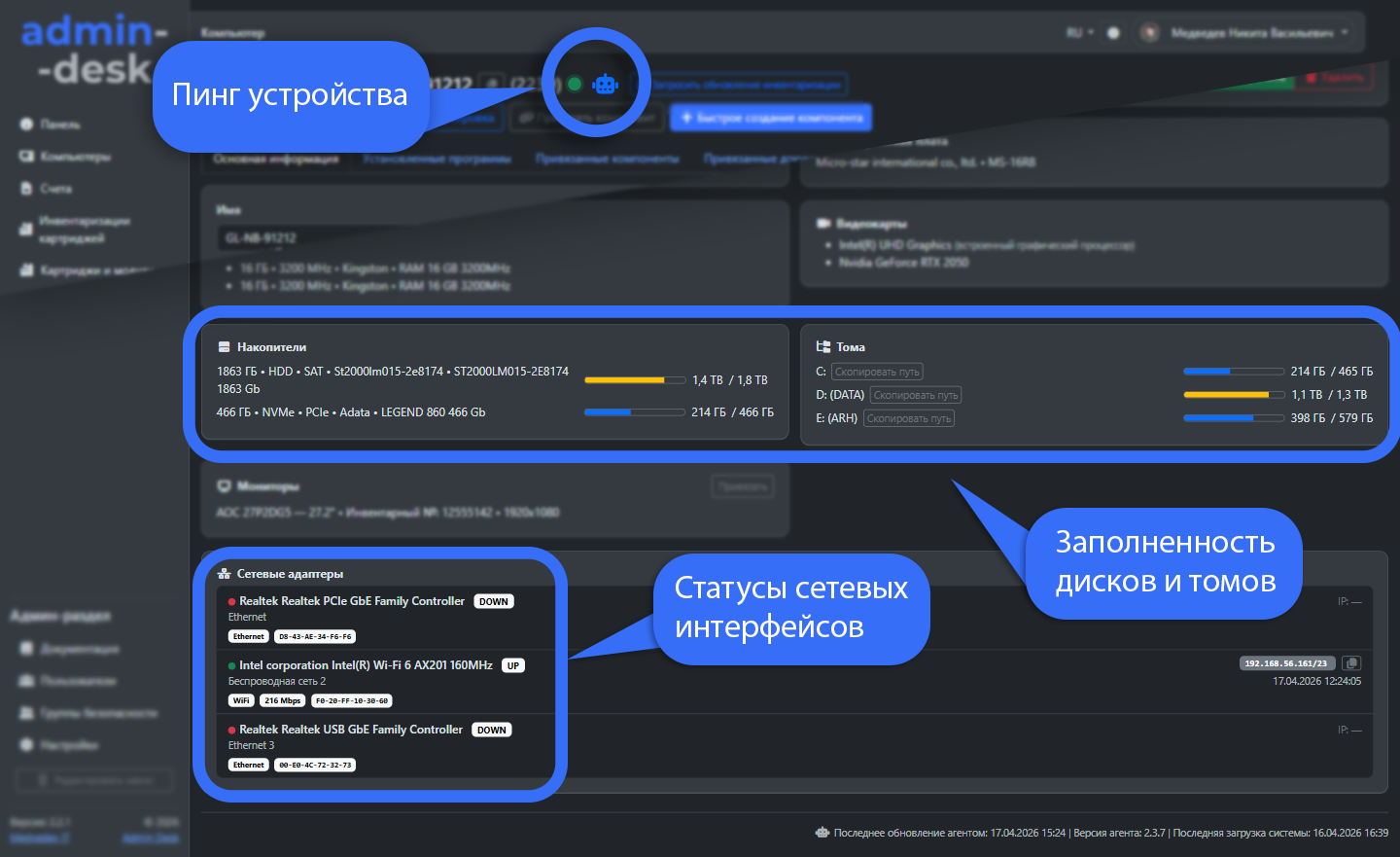
Online demoA background service collects hardware, operating system, monitor, network and installed software data, links it to the computer card and supports automation scripts
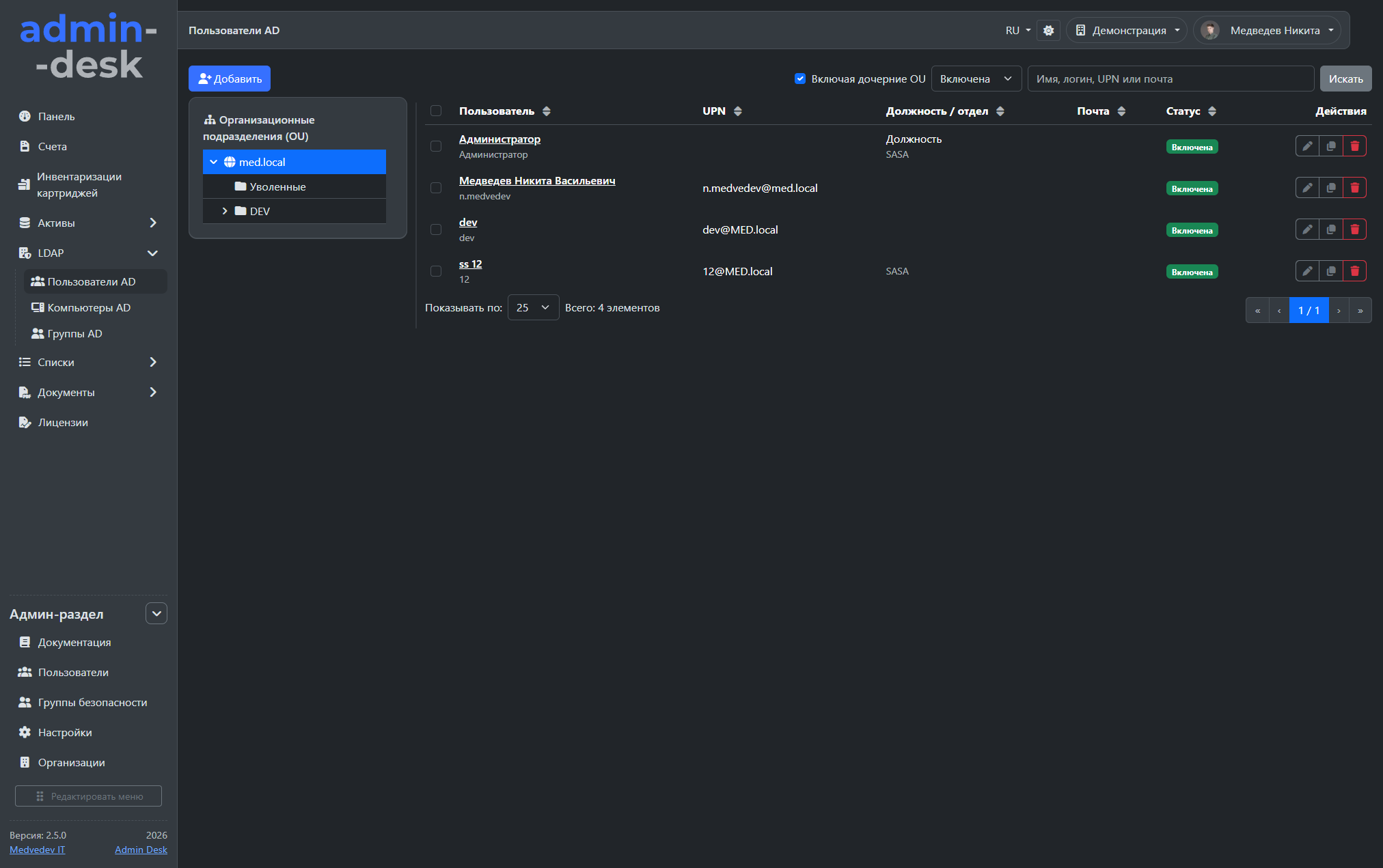
Manage domain users, computers, groups and organizational units directly in the system, from profile synchronization to controlled employee offboarding
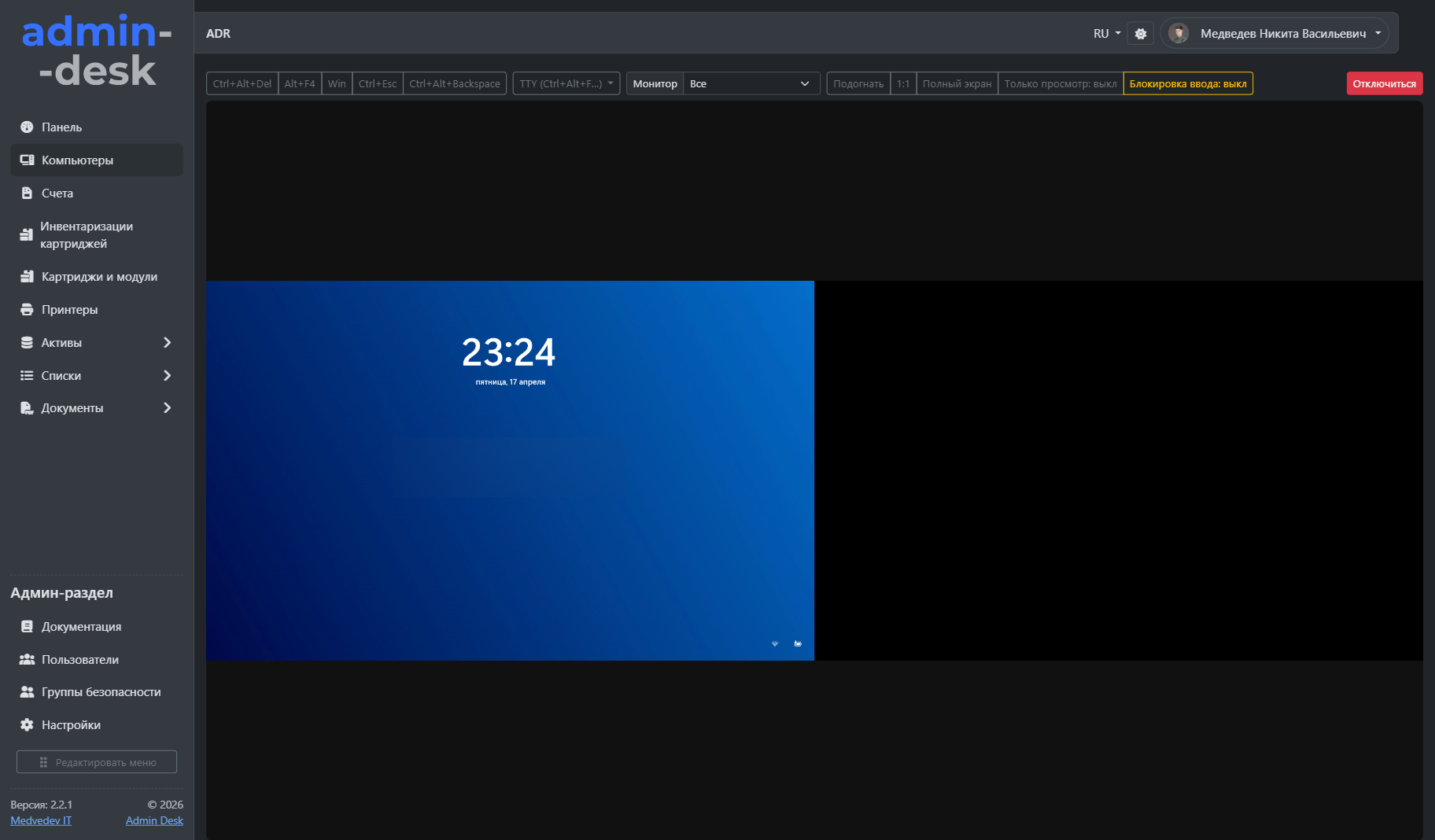
Support employees straight from the PC card: connect with Admin Desk Remote using user consent or unattended mode, use session chat and run background actions without switching tools
Keep the entire purchasing chain connected, from invoice file to equipment. Titles, comments, purchase contents, payments, documents and counterparties stay together
Choose a PDF, XLSX or image and click Recognize invoice. The system extracts number, date, amount and purchase contents, and matches an existing counterparty by tax ID
Recognition runs locally on the server. Review detected values before saving: results depend on file content and qualityExplore the interface and try this workflow in the Admin Desk online demo
Online demo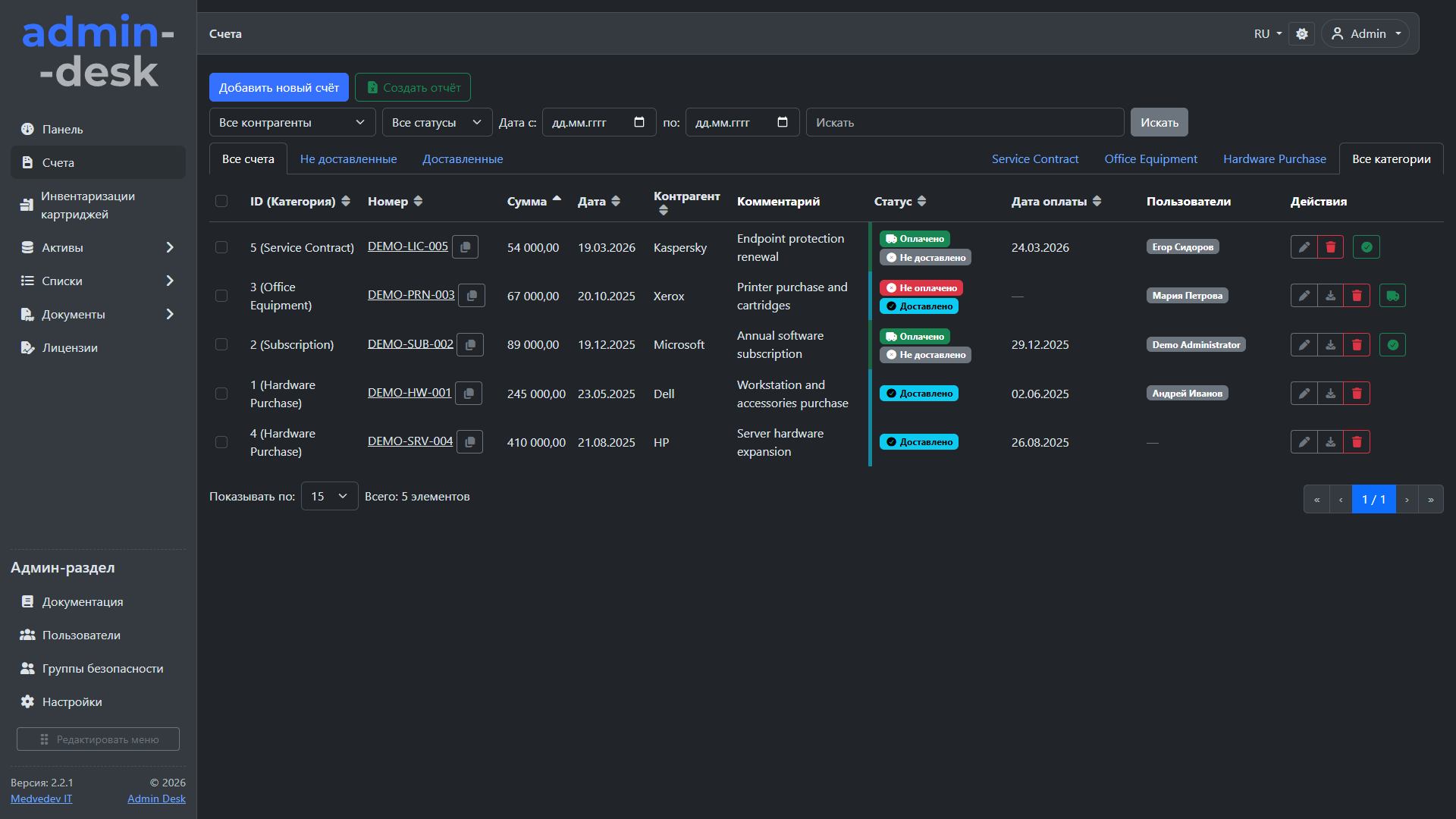
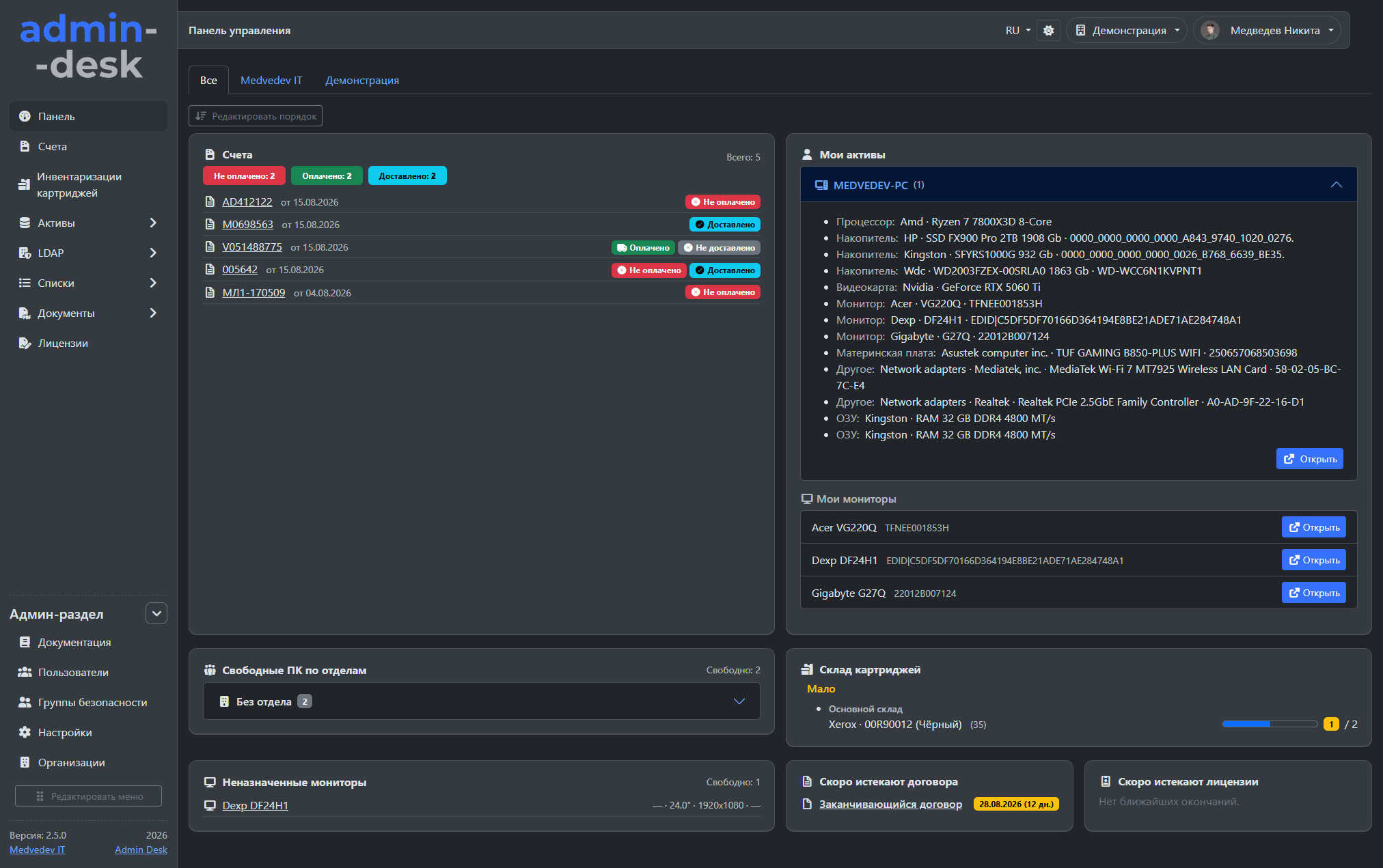
Manage multiple organizations in one system with separate assets, documents and invoices, per-organization employee permissions and an aggregated dashboard. Switch contexts without separate deployments
The ITSM module combines service desk and project management. Requests, equipment and teamwork stay connected, making ownership, progress and required actions clear
Explore the interface and try this workflow in the Admin Desk online demo
Online demo
Network deployment, an office move or a fleet upgrade need coordinated teamwork, not a single support ticket. Manage projects separately from the request queue, using real ITSM tasks, a project manager and milestones
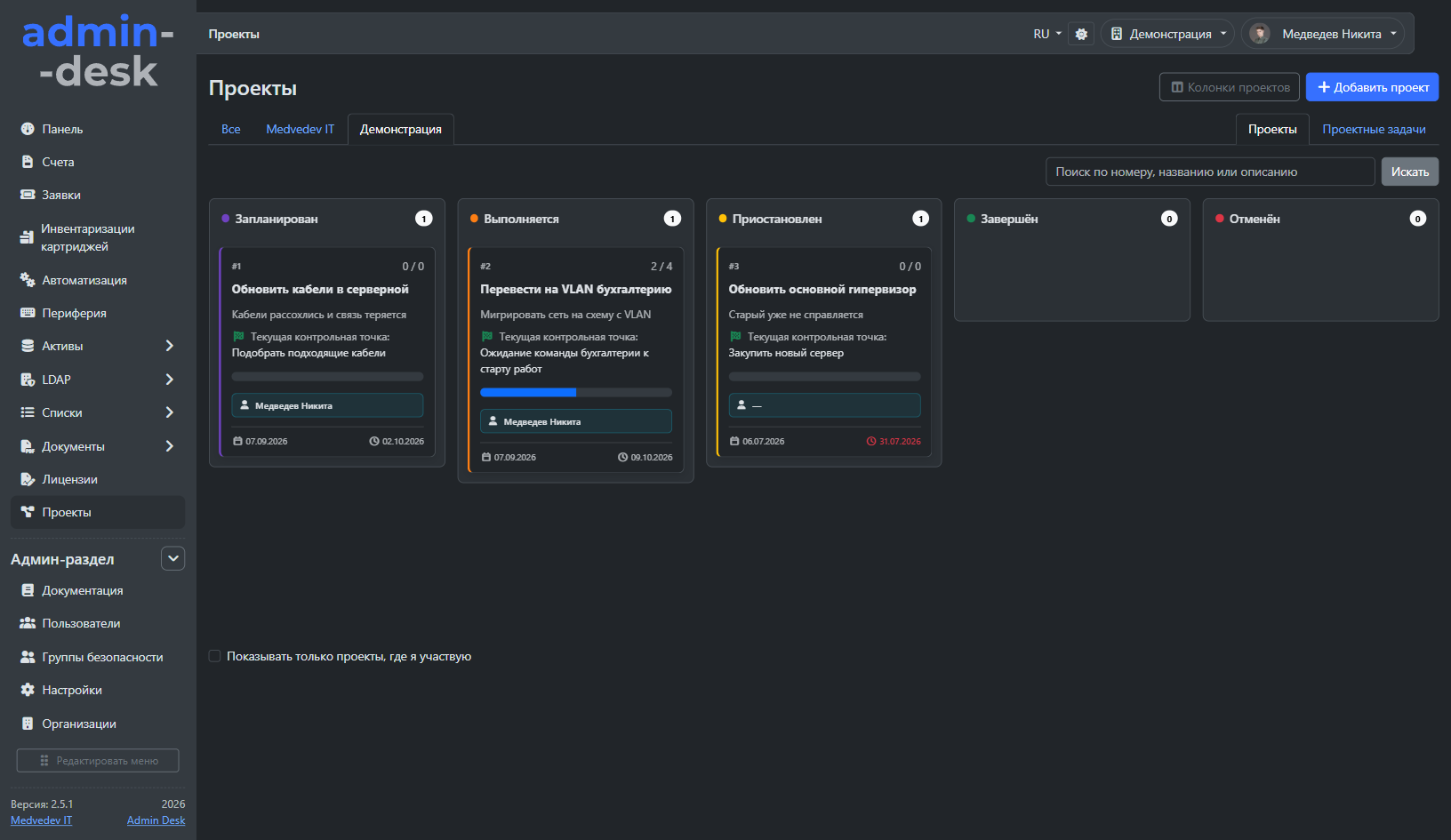
Explore the interface and try this workflow in the Admin Desk online demo
Online demo
Admin Desk is Russian software for IT service and asset management. ITSM (service desk and help desk) supports tickets and projects; ITAM tracks equipment, peripherals and licences; CMDB shows relationships between devices, employees, documents and purchases. Inventory, LDAP/Active Directory, SNMP and automation reduce manual work. Deploy on premises; the product is listed in the Russian software registry.
Track computers, servers, network equipment, printers, peripherals and licences. Warehouse stock, employee assignments, documents and change history support the asset lifecycle.
Device cards connect components, users, locations, tickets, invoices and documents. Agent inventory for Windows, Linux and macOS, SNMP and LDAP keep records current without repeated manual entry.
The platform runs on the customer's server, keeping inventory data, documents and hardware history inside the organization
Handle user requests, assign owners and track deadlines and acceptance. Boards, chat, notifications and statistics organize support; projects bring team tasks and milestones together.
Service desk capabilitiesRecognize invoice files locally, link purchases to equipment and counterparties, and track payments through email or 1C. Monitor licence, contract, domain and SSL expiry dates.
Purchasing and document managementConnect to PCs using Admin Desk Remote, VNC or a console, run remote actions and PowerShell automations. Manage Active Directory users and computers in one interface.
Remote support toolsITAM manages technology assets throughout their lifecycle. Admin Desk tracks hardware, software, documents, licenses, repairs, assignment to employees and retirement in one database
Yes. The ITSM module includes a service desk with categories, assignees, deadlines, boards, discussions, files and acceptance. Tickets link to equipment, documents and invoices. Project management is included in the same module.
ITAM tracks IT assets, while CMDB records configurations and relationships. An Admin Desk PC card connects components, software, employee, location, documents, purchases and tickets. Agent inventory, SNMP and LDAP help maintain these records.
Projects are included in the ITSM module. Assign a manager and participants, manage tasks on a board, set milestones and deadlines, share files and messages, and enable manager acceptance.
Yes. Choose a PDF, XLSX or image and click Recognize invoice. Admin Desk extracts detected details and purchase contents locally and matches an existing counterparty by tax ID. Review the result before saving: it depends on file quality and content.
Yes. Admin Desk is an independently developed Russian product included in the Russian software registry under entry No. 34866 dated August 31, 2026
Admin Desk is deployed on premises. Its database and documents remain in the customer's infrastructure and do not require a third-party cloud
Computers, servers, monitors, printers, network devices, phones, components, peripherals and cartridges. Collection methods include agents, SNMP, manual entry, barcodes and the mobile app, depending on the asset type
The base annual license costs RUB 100,000 and does not limit the number of managed devices. Multi-organization and ITSM modules each cost an additional RUB 40,000 per year
The people responsible for development, quality assurance, and the visual side of Admin Desk

Rights holder, project manager, lead developer

Testing and quality assurance

Design and visual assets of project site
I can show the product on your real scenarios, help estimate the rollout, and if needed prepare purchase terms or a commercial offer right away