Employee administration involves more than creating a login. Access must be prepared, equipment issued, details maintained and access closed when the employee leaves. Admin Desk connects the local profile, assigned assets and Active Directory management, while 1C:ZUP integration supplies HR information.
Active Directory in the web interface
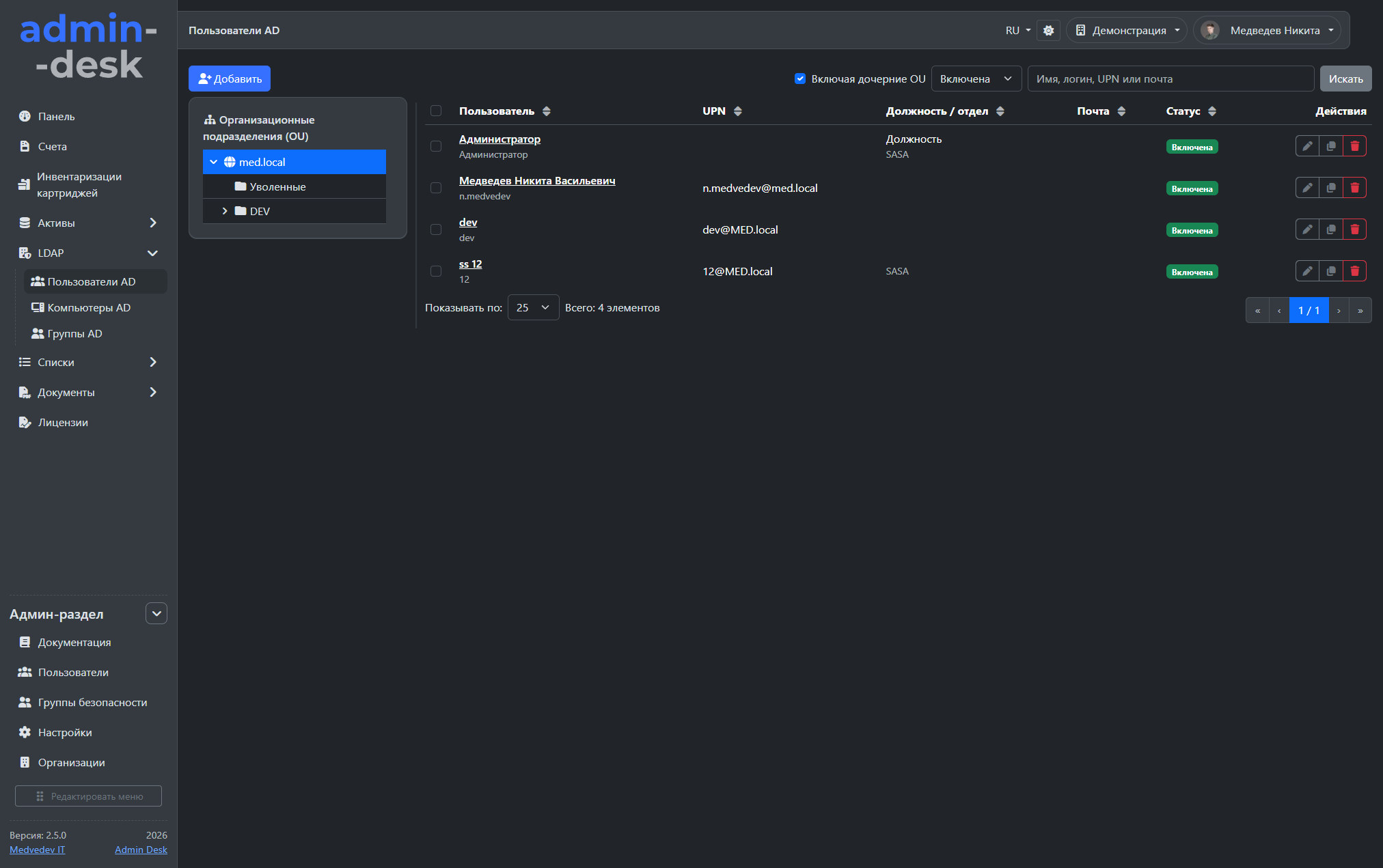
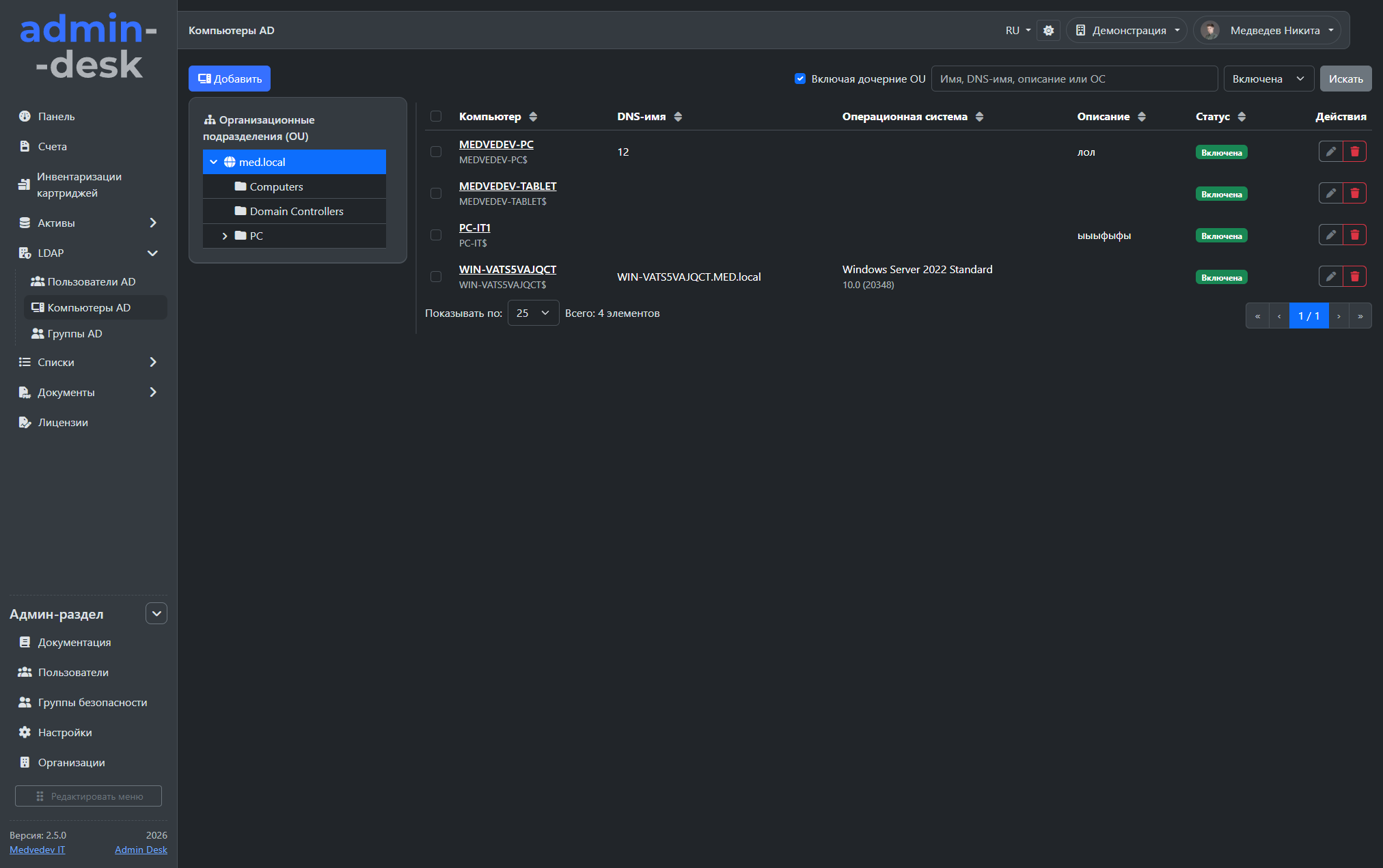
Users, computers, groups and organizational units are available without switching to a separate management console. Search and filters locate the required objects. With the appropriate permissions, records allow changes to directory attributes, account state, OU and group membership.
The lists support creating and copying users, bulk changes and group management. Creating a user or changing a domain password requires secure LDAPS. The connection account also needs the appropriate permissions in the directory itself.
Profiles, contact details and photos
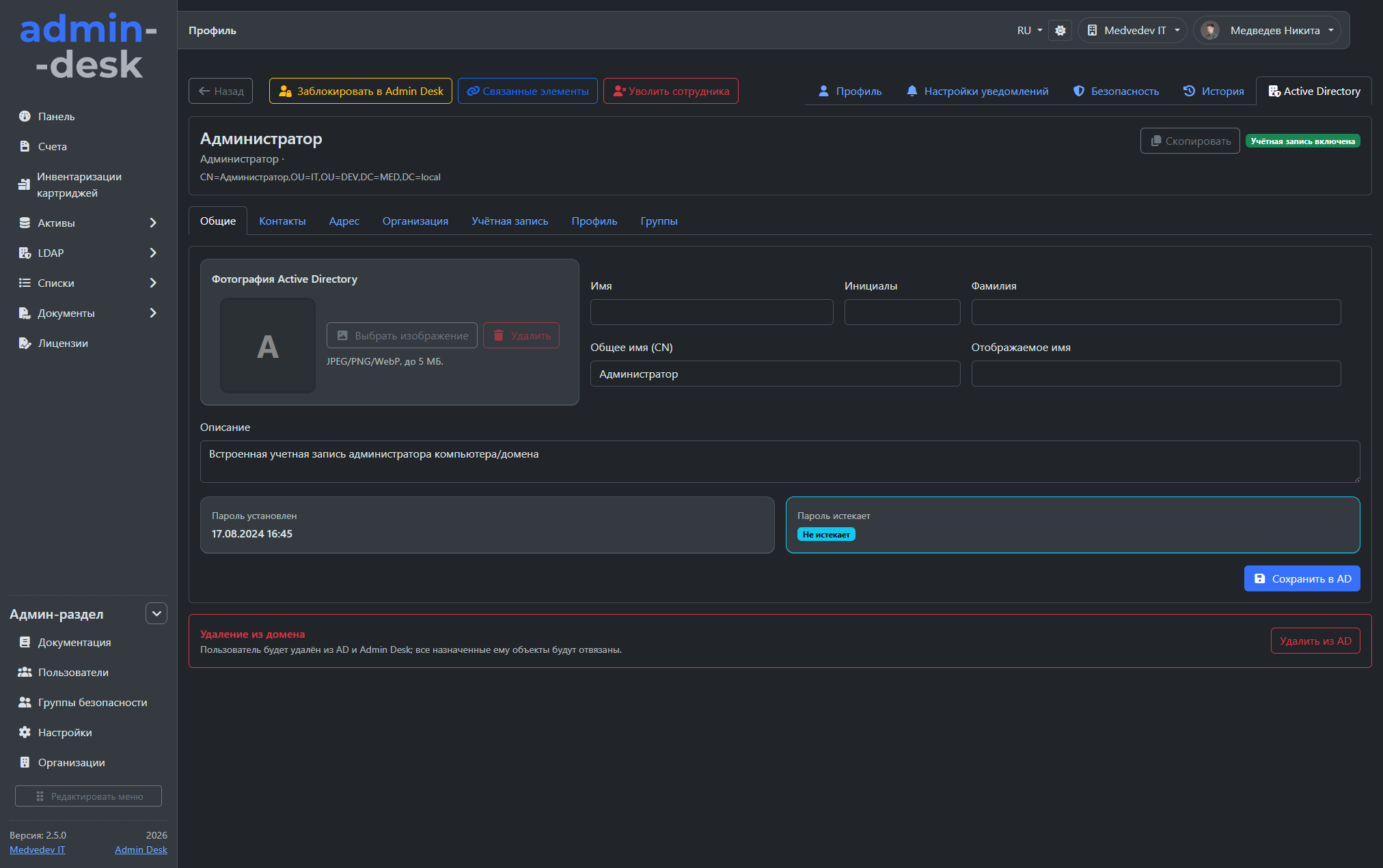
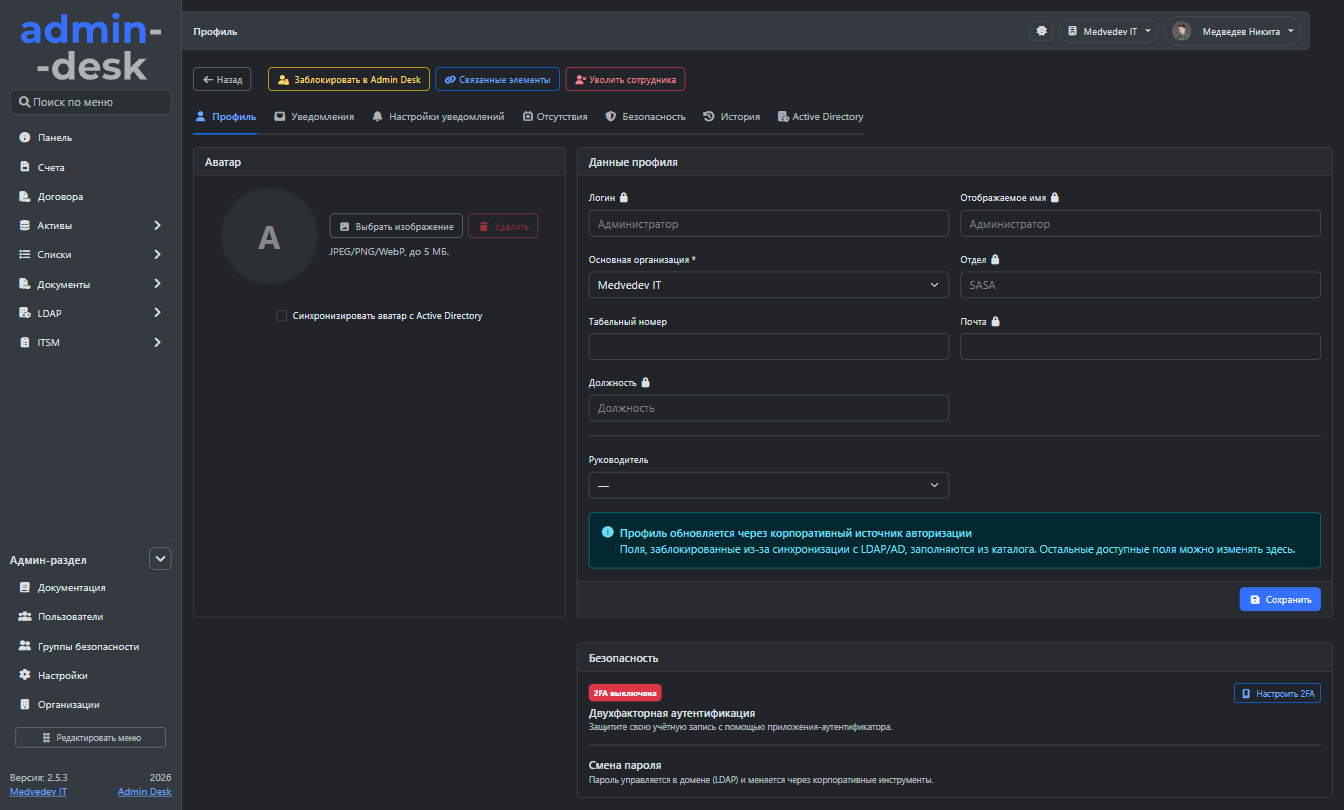
An employee profile contains contacts, department, job title, manager and organization assignments. The Active Directory tab exposes directory fields, including address, account and profile settings, groups and the user's photo.
A photo can be uploaded, replaced or removed in the configured LDAP attribute. This changes the directory photo; it does not imply automatic copying into the local Admin Desk profile. Permissions to view or edit AD are separate from ordinary user-management permissions.
Onboarding and preparing a workstation
The onboarding process supports both internal accounts and Active Directory users. An operator checks employee details, organization, manager and groups, while equipment can be prepared through a reservation with a planned start date.
An external HR system can submit a pending hire through the API. The request enters a queue and pre-fills the onboarding form; missing information can be completed by the operator. Submitting the request does not automatically create an account or modify AD. Creation happens after an operator reviews and confirms the form.
Integration with 1C:ZUP
Admin Desk reads the published ZUP OData service and matches employees to existing users. A personnel number is assigned when the full name matches unambiguously and there is no number conflict. Job titles can be synchronized from a configured field or personnel register; a separate setting allows the title to be sent to Active Directory.
Posted documents supply vacations, sick leave and business trips. Synchronization runs in the background, and a button on the users page can queue an additional run. Connection settings, interval, date window and field mappings are configurable for the particular ZUP publication.
This integration belongs to the ITSM module and reads data from ZUP into Admin Desk. It does not create user accounts or write HR changes back to 1C. With multiple organizations, the employee's primary organization determines the source; one user does not receive two independent personnel numbers. Moving between sources reconciles absences, so the transition requires reviewing the data, including manually entered records.
Domain computers alongside equipment records
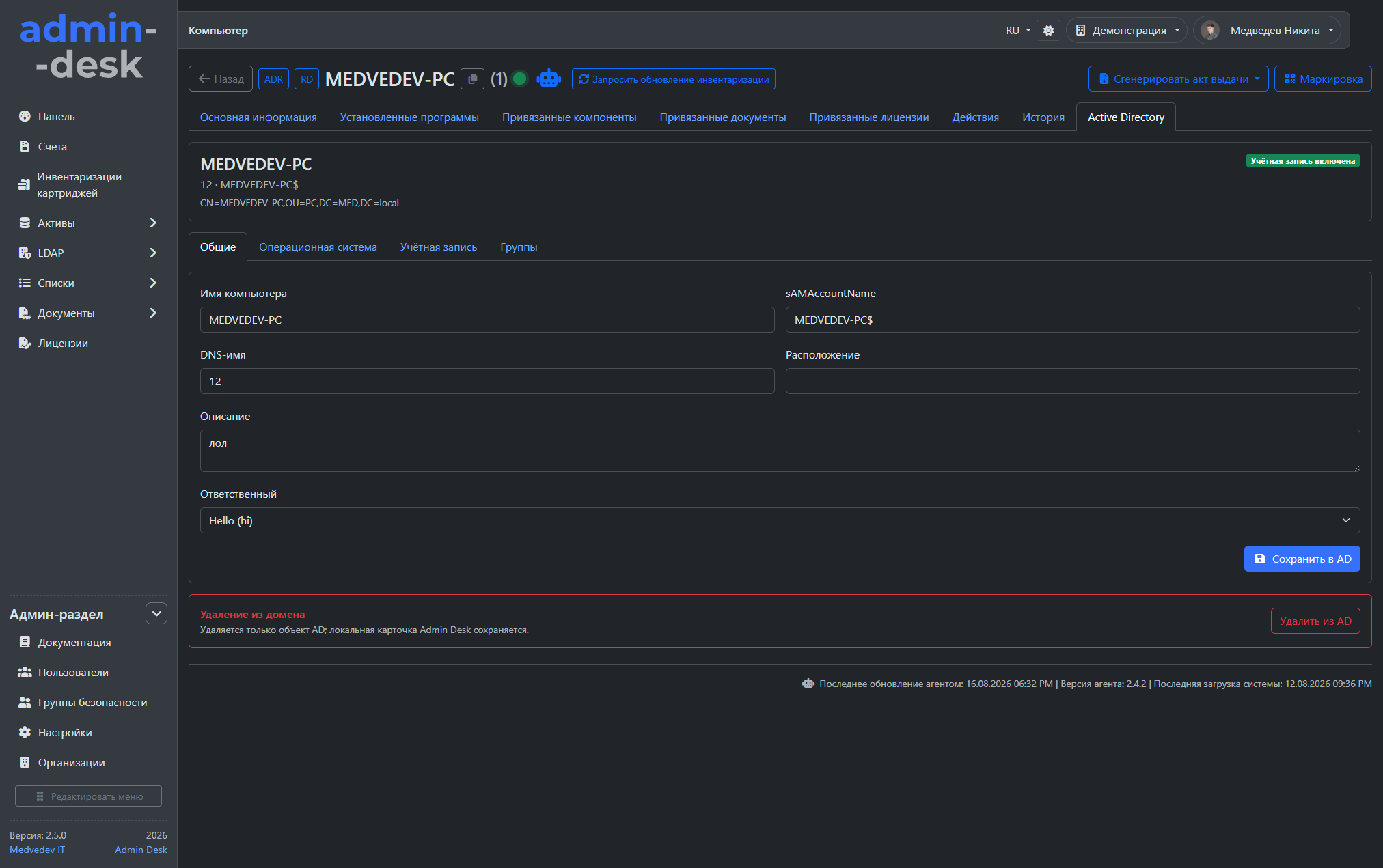
An AD computer record exposes its description, OU, responsible person and groups. The directory object can be opened even if no local equipment record exists. If a domain controller is unavailable, other local inventory information should remain accessible.
Managed offboarding
The offboarding process can disable accounts, move the directory object to a selected OU, detach equipment and prepare a handover document. This is a separate managed operation. Detecting a dismissal during ZUP synchronization does not automatically perform all of these steps.
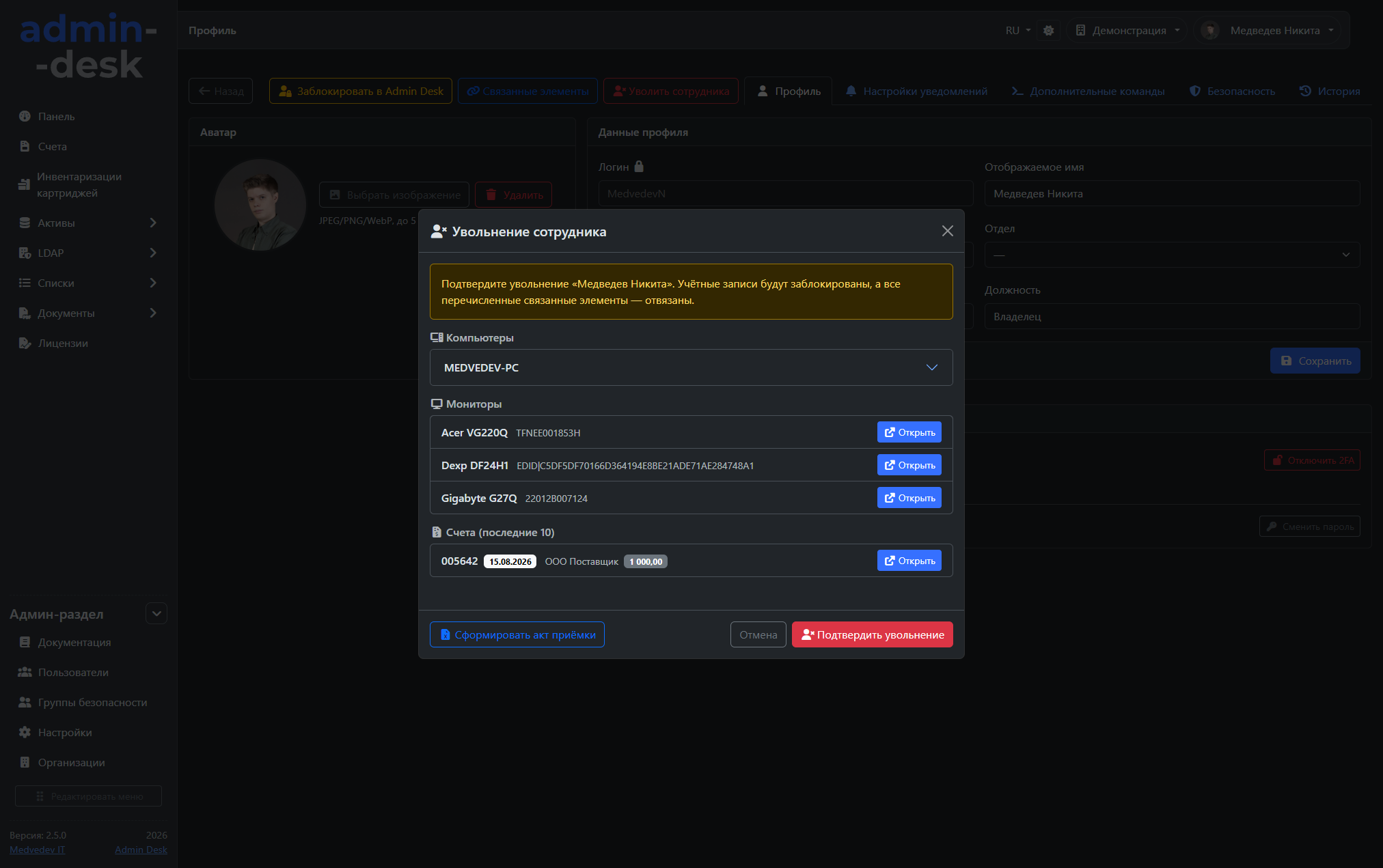
Together with equipment reservations and handover records and ITSM approvals, these tools connect an HR event to specific IT actions.