ITSM in Admin Desk connects an employee's request to an assignee, deadlines, conversation and relevant inventory records. Engineers see not only the problem description but also the employee's equipment, documents, purchasing context and work history.
A shared queue and a personal view
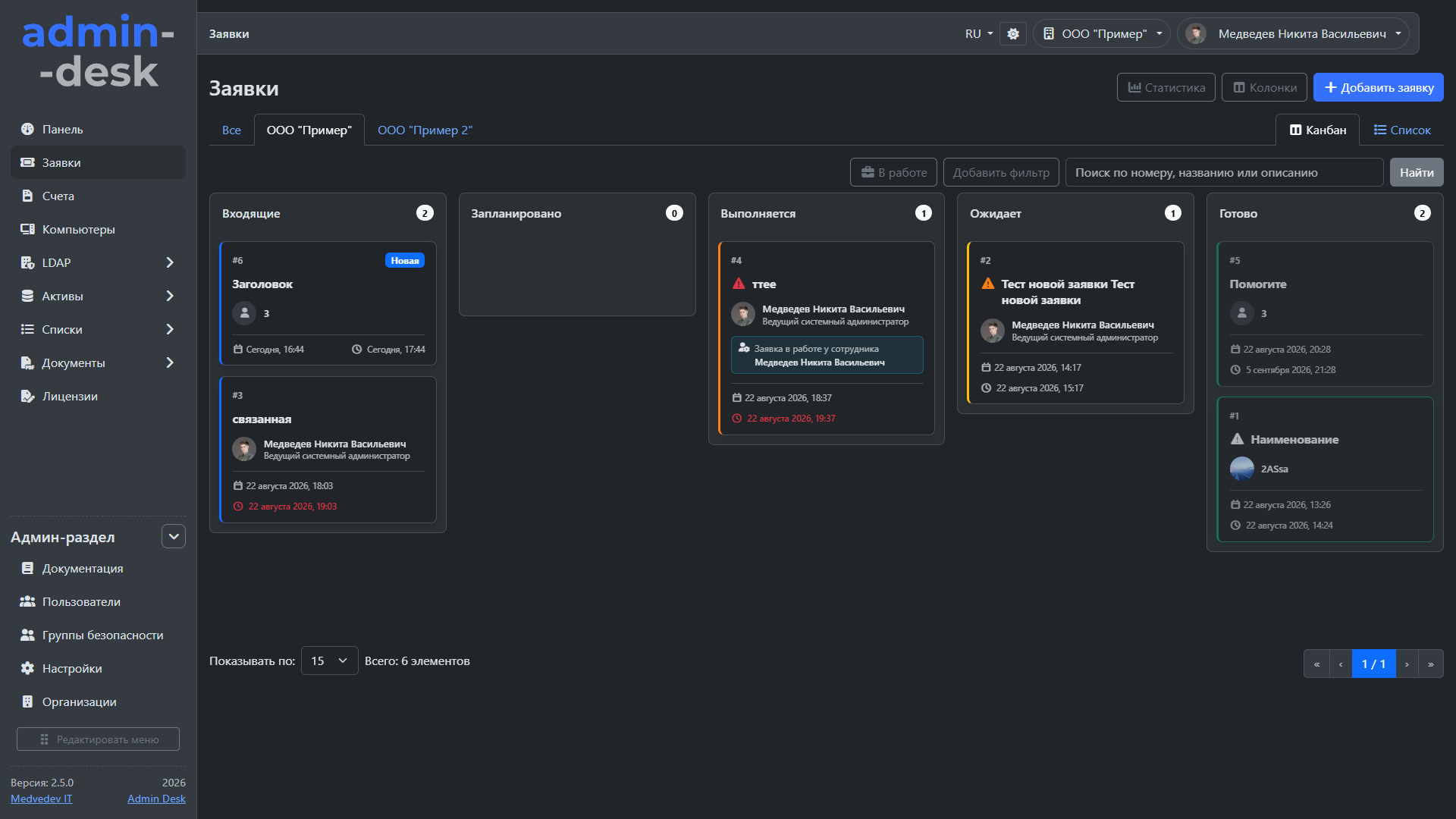
Tickets are available as a kanban board or grouped list. Filters cover participants, categories, status, deadlines, urgency, impact and unread messages. Multiple organizations have individual tabs and an All view.
Personal columns create an individual work queue, such as new requests, tickets with a user reply or overdue work. Conditions can be combined using AND/OR and rule groups. Personal placement does not change the actual column or status on the shared board, allowing each employee to organize their view without changing the team's process.
A ticket with its full context
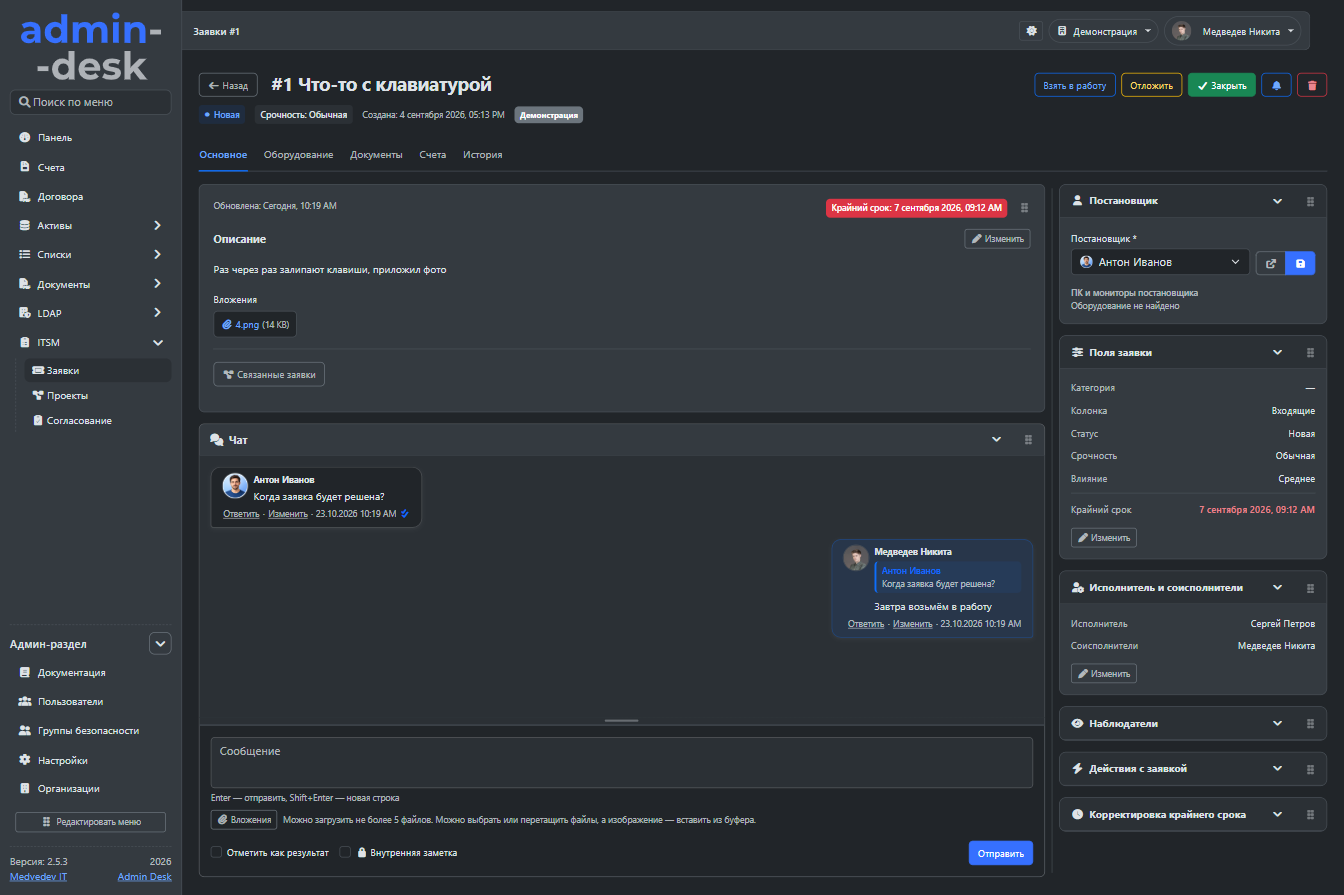
A ticket has a requester, assignee, co-assignees and watchers. Description, attachments, checklist, chat and related records are accessible together. Panels can be rearranged and their widths adjusted, with the layout remembered in the browser.
The requester panel shows assigned computers and monitors, together with available remote-access buttons. Tickets can be linked to equipment, components, documents and invoices, reducing repeated searches during troubleshooting or purchasing discussions.
Conversations that stay with the work
Chat supports attachments, images, replies, mentions, read indicators and edit history. A message can be marked as the result so the resolution remains easy to identify. Users configure notification channels in their profiles.
With email replies enabled, a participant can answer a new-message notification and have the response imported into the ticket with permitted attachments. This is not a general mailbox import: message linkage, sender address and ticket participation are checked. A dedicated IMAP folder handles incoming replies.
Deadlines and acceptance
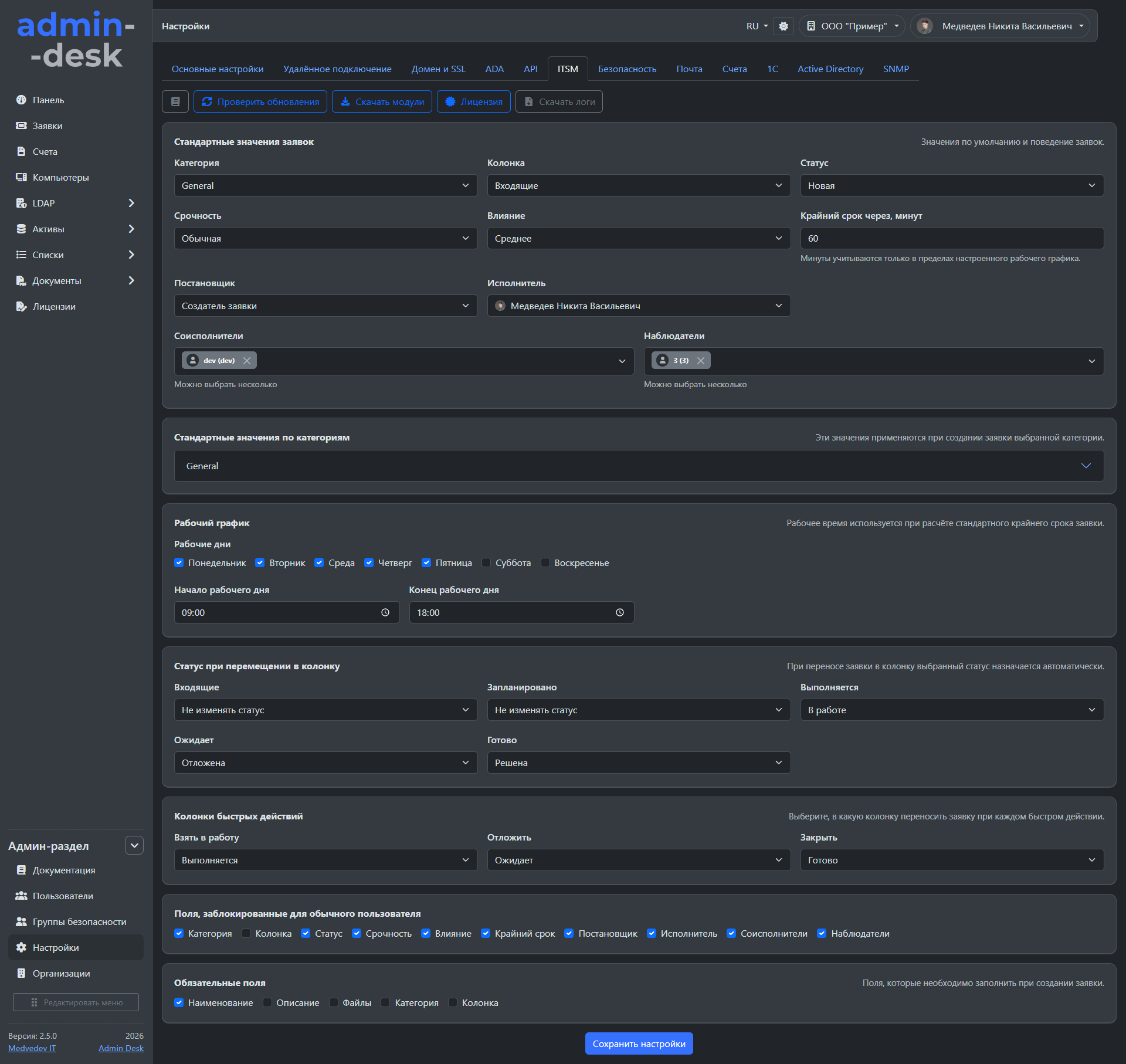
Categories define initial request parameters, while the working calendar is used to calculate deadlines expressed in working minutes. Quick actions take a ticket into work, postpone it or complete it. Status and board column are separate fields; automatic status changes on moving a ticket are configurable.
When acceptance is enabled, completed work first moves into review. The requester accepts the result or returns the ticket to work. For a project task, acceptance belongs to the project manager or an authorized editor.
Approvals, purchasing and waiting
A ticket can pass through approval, including mandatory manager approval where configured. If purchasing is needed, the engineer links existing invoices or creates a new one directly from the request. The new-invoice form includes file recognition.
The purchasing workflow accounts for waiting on payment or delivery before work resumes. The dependency is visible in the ticket rather than being explained only in an engineer's private messages.
Employee absences and 1C:ZUP
The module includes absence tracking and substitution in approval workflows. Configured 1C:ZUP synchronization can import vacations, sick leave and business trips, making HR information available without re-entering absence periods.
Absences imported from ZUP are treated as confirmed. Acting-person assignments and their approvals have separate rules. The integration does not create users or write data back to ZUP. Details and limitations are covered in employees and 1C:ZUP integration.
Measurable service performance
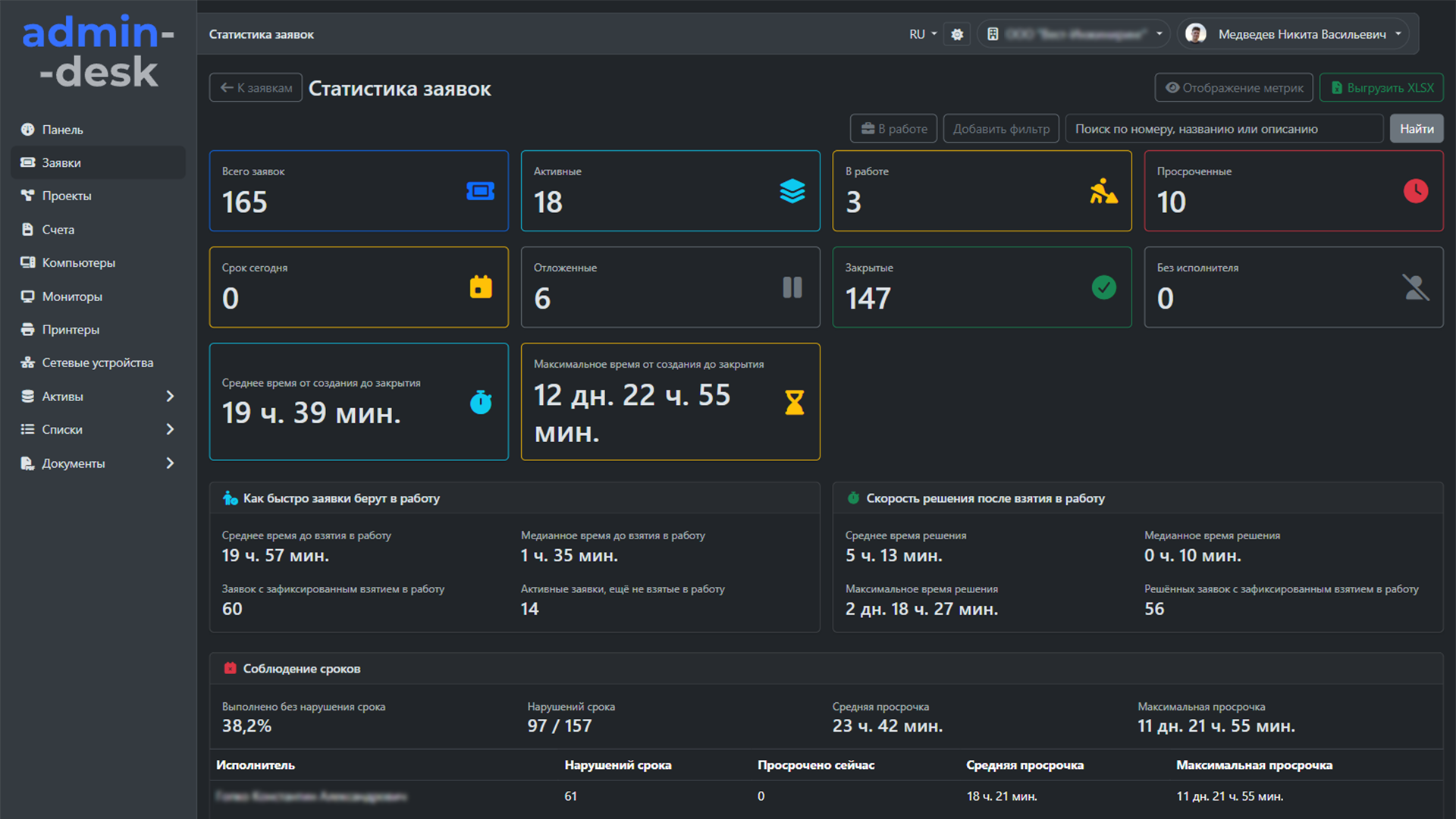
Statistics distinguish time to first work, time to resolution and deadline compliance. Averages, medians, maximum values and comparisons by assignee help identify delays. Active overdue tickets are not hidden by a large total of completed work.
Metrics can be selected for both the screen and XLSX export. This supports discussion of specific bottlenecks, such as waiting for assignment, rather than judging the team only by closed-ticket counts.
Permissions and external systems
Visibility is controlled by security groups and participation restrictions. The external API can create tickets and retrieve their state after checking the key and permissions. Workflow settings apply in the organization's context. ITSM requires the corresponding license feature; projects share that feature but have separate permissions.