An equipment register becomes useful when a device tells a complete story: who uses it, where it is located, what is installed, how it was purchased and which issues have already occurred. Admin Desk brings this information together through linked records rather than separate spreadsheets.
The computer record as an engineer's workspace
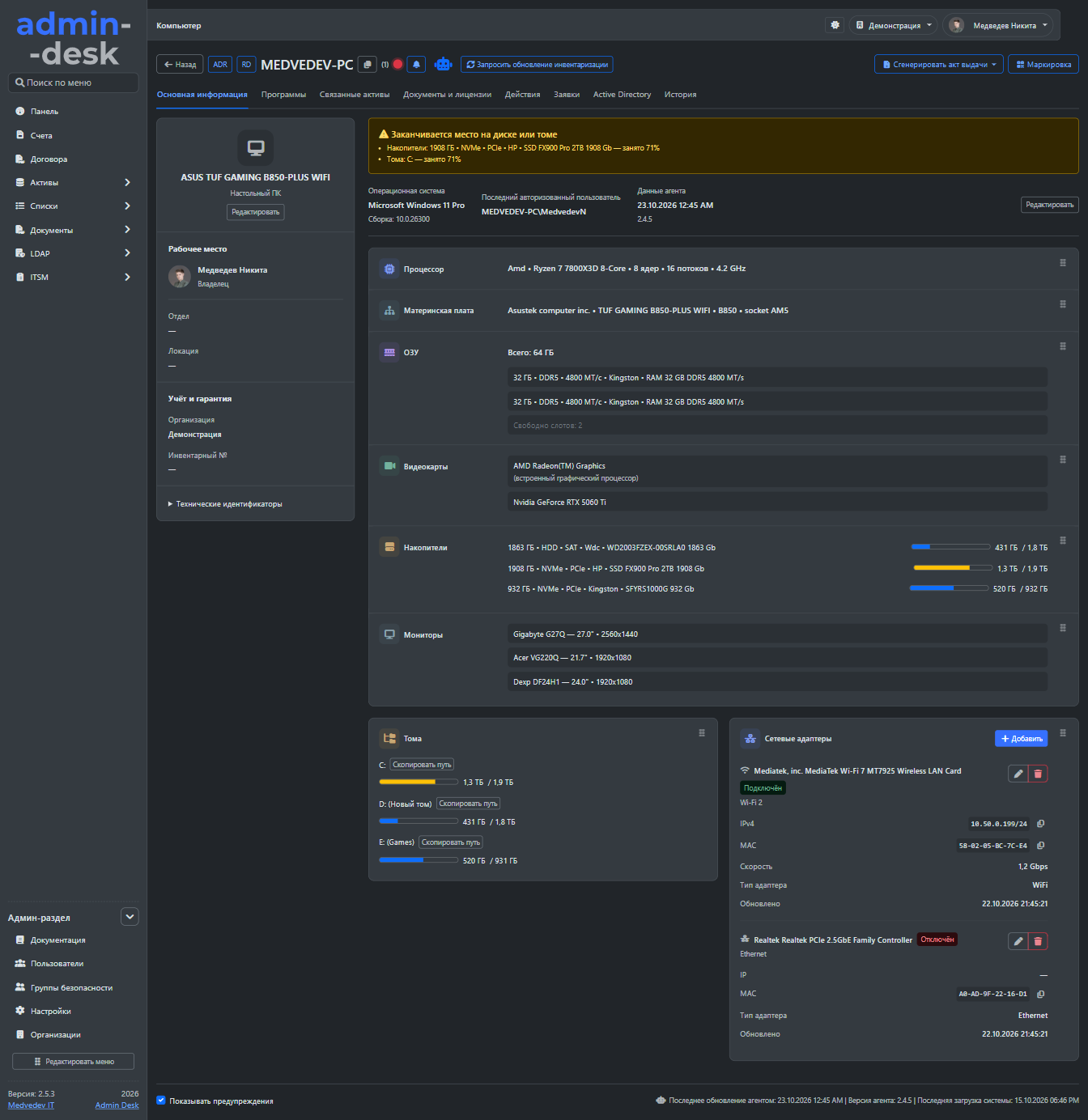
A PC record combines its specifications, assigned employee, department and location with agent data, installed software and related assets. Documents, licenses, history and available actions are accessible from the same record. Tabs depend on the available data, permissions and enabled modules: software appears after agent inventory, while the virtual machines tab requires related VMs.
This helps answer practical questions beyond equipment totals: who has a particular laptop, what could replace it during repairs, and where to find its supporting documents.
More than computers
Admin Desk tracks monitors, printers, network devices, phones and SIM cards, UPS units and components. Each asset type has its own properties and relationships. Peripherals are tracked by model and warehouse, while domains and SSL certificates have separate records and expiry dates.
Components and monitors can be linked to a computer. An invoice explains the purchase, a document records the handover or warranty terms, and a ticket captures the problem and its resolution. With ITSM enabled, tickets can be attached to equipment, and active issues appear in supported equipment lists.
Preparing equipment and reserving stock
An equipment reservation can be prepared before a new employee starts, with a recipient, responsible person and planned date. The recipient does not need an account yet: their name can be entered as text. Reservations support individual devices and quantities of peripherals at a selected warehouse.
The same device cannot belong to two active reservations. Reserved PCs and monitors are excluded from the free-equipment dashboard, and reserved peripheral quantities are protected. A reservation is not a completed handover: mark it complete after issue, or remove it if plans change. An overdue date is highlighted but does not release the equipment automatically.
Handover documents and labels
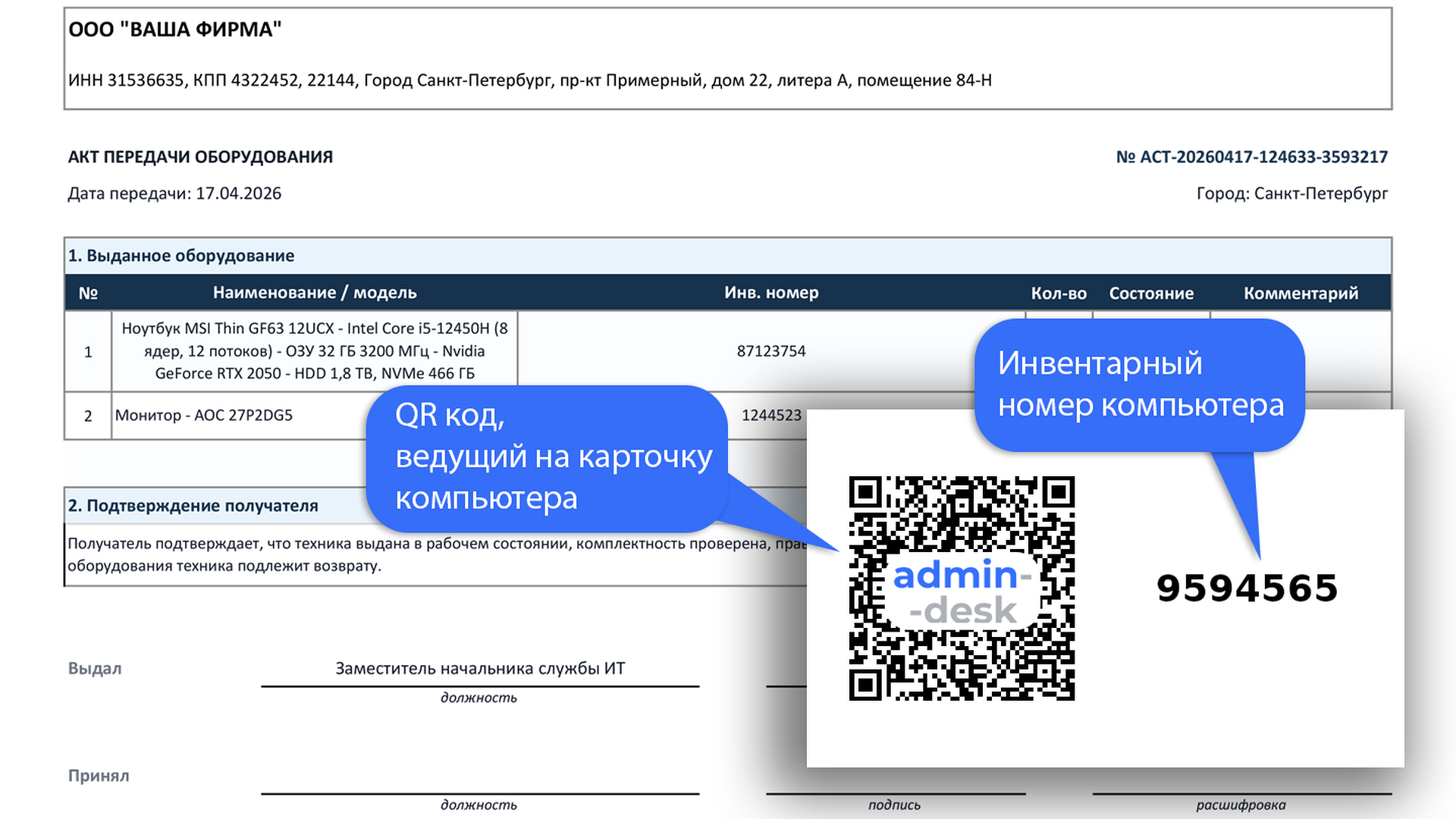
The computer record can generate an issue or return document using the organization's template, including connected monitors. An uploaded completed document can be linked to both the PC and its monitors. Labels combine the inventory number with a QR code that opens the device record.
A history you can follow
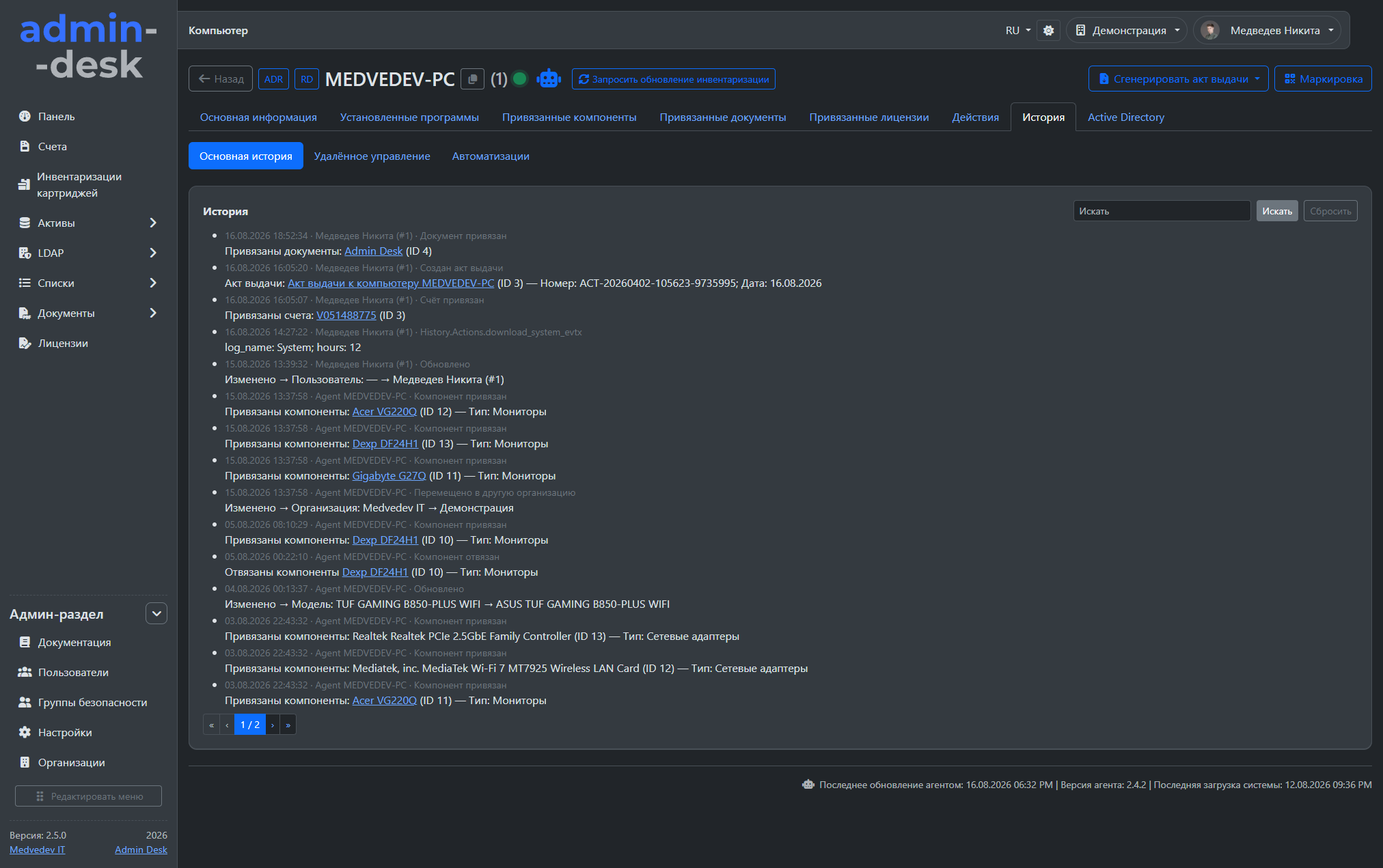
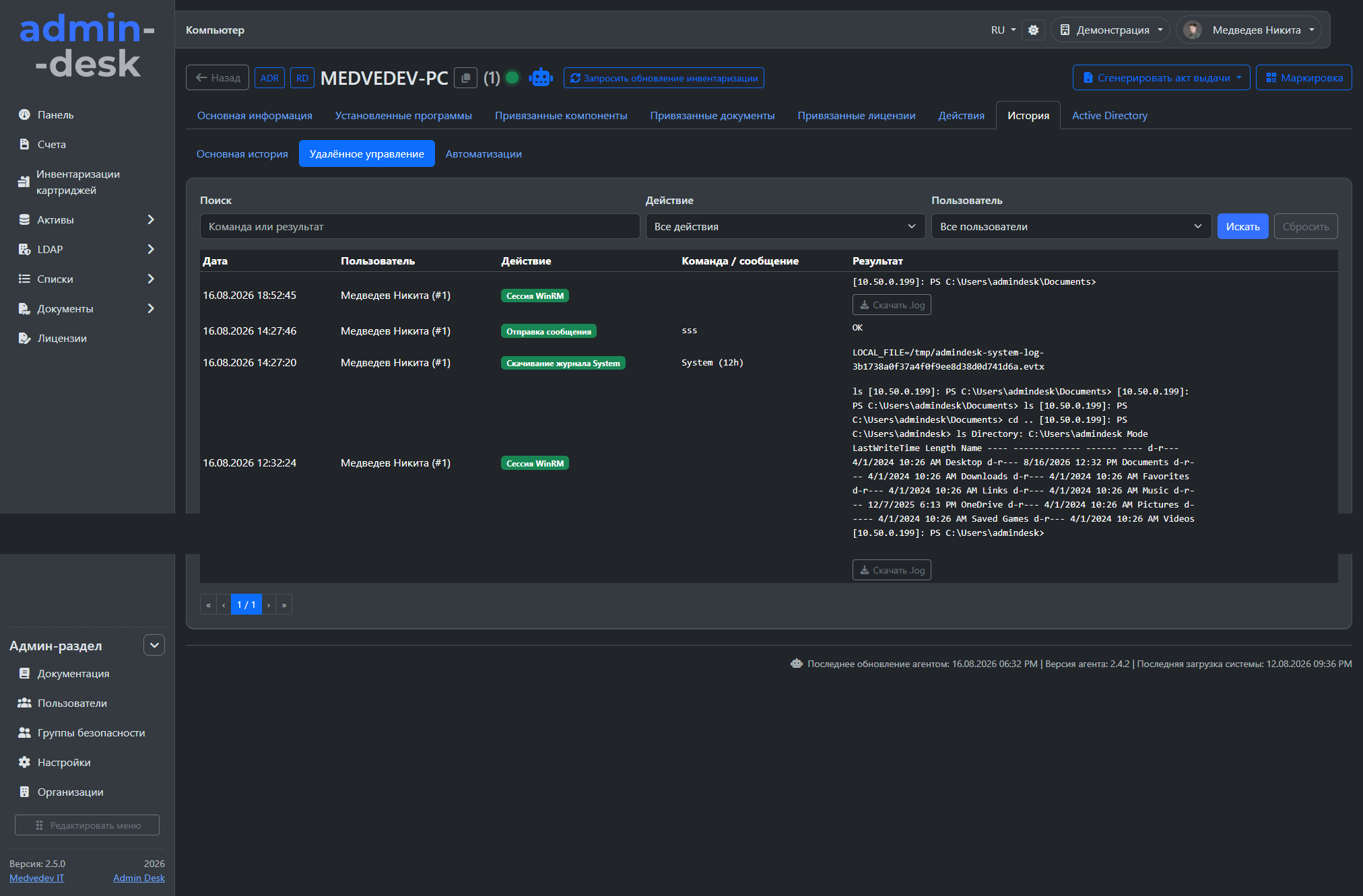
Changes and relationship operations are recorded in history. This helps establish how asset information changed, which documents were attached and who performed an action. Remote-management history is kept separately so maintenance activity can be reviewed without mixing it with ordinary record edits.
From inventory to resolving an issue
The same record provides access to an inventory refresh request, a supported remote connection or a console. These actions require the appropriate permissions, configured components and network reachability: an inventory record does not itself grant access to a computer.
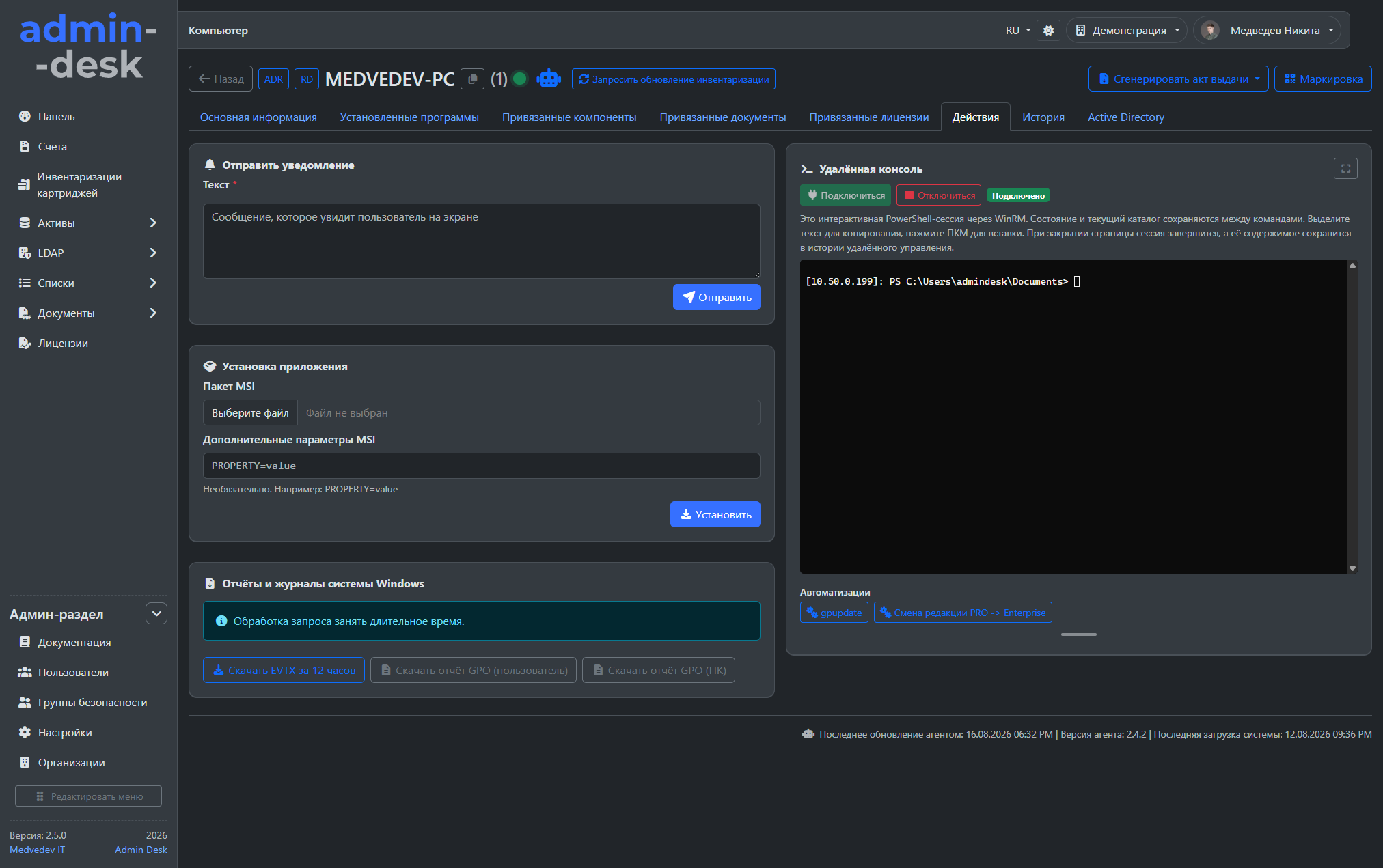
For example, when an employee reports poor performance, an engineer opens the PC linked to the ticket, checks its configuration and software, runs diagnostics and records the outcome in the conversation. If replacement is required, the purchase, warranty and assignment information is already available.
Related articles: automatic inventory, remote support and ITSM tickets.