A spreadsheet of keyboards, mice and cartridges can become outdated after the next equipment handover. Admin Desk connects warehouse quantities with device models, workstations and operation history, making both availability and usage easier to understand.
Stock by model and warehouse
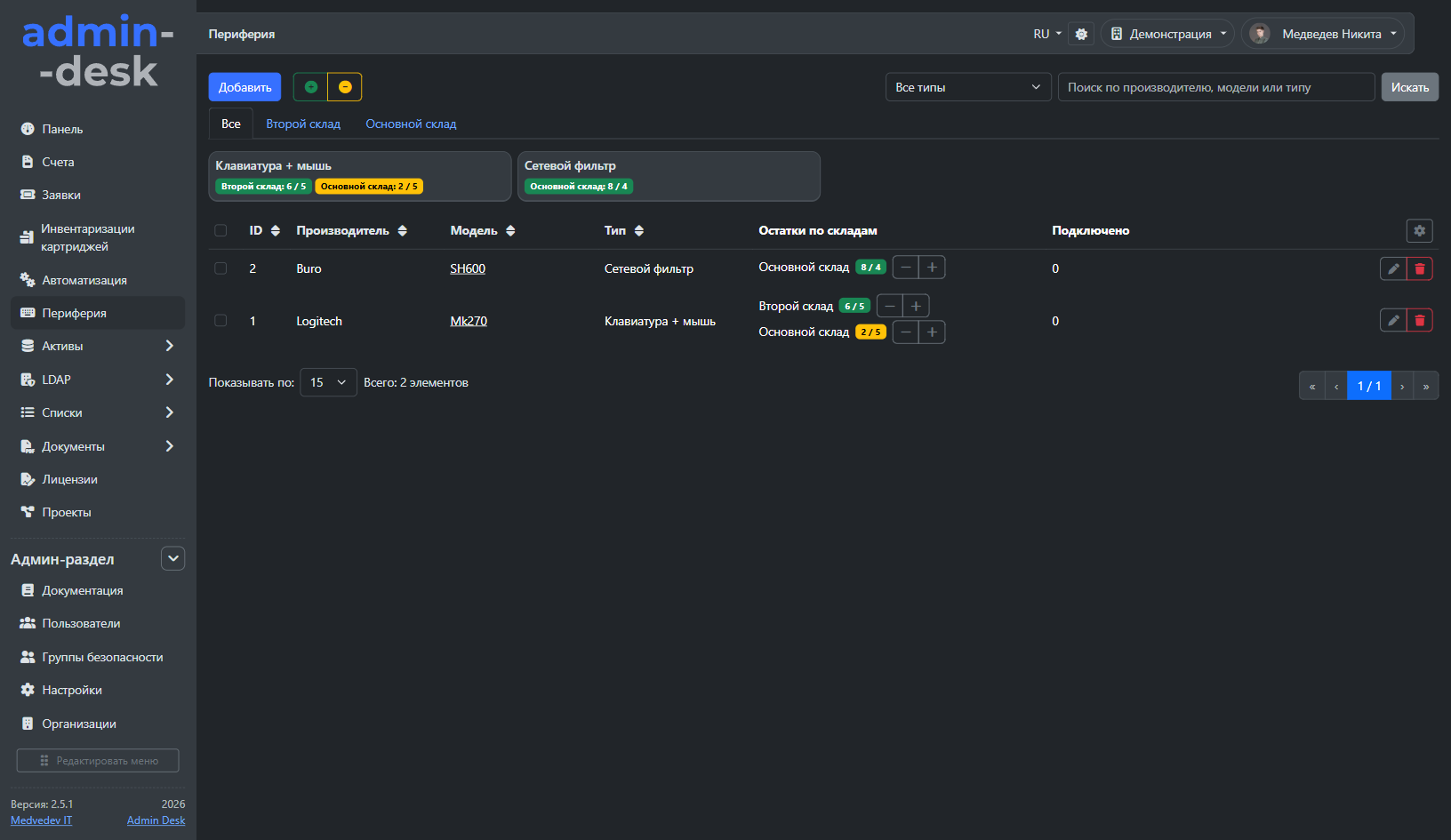
Peripherals are tracked by type, manufacturer and model. Each model has warehouse rows with stock and minimum quantities. Type summaries and warehouse tabs help distinguish a shortage at one office from availability across the organization.
Zero and low stock are highlighted in the list and dashboard. The responsible employee can identify what has run out and what belongs in the next purchase without combining several files manually. Minimum stock is set per warehouse row, allowing locations to have different requirements.
Receiving and issuing by barcode
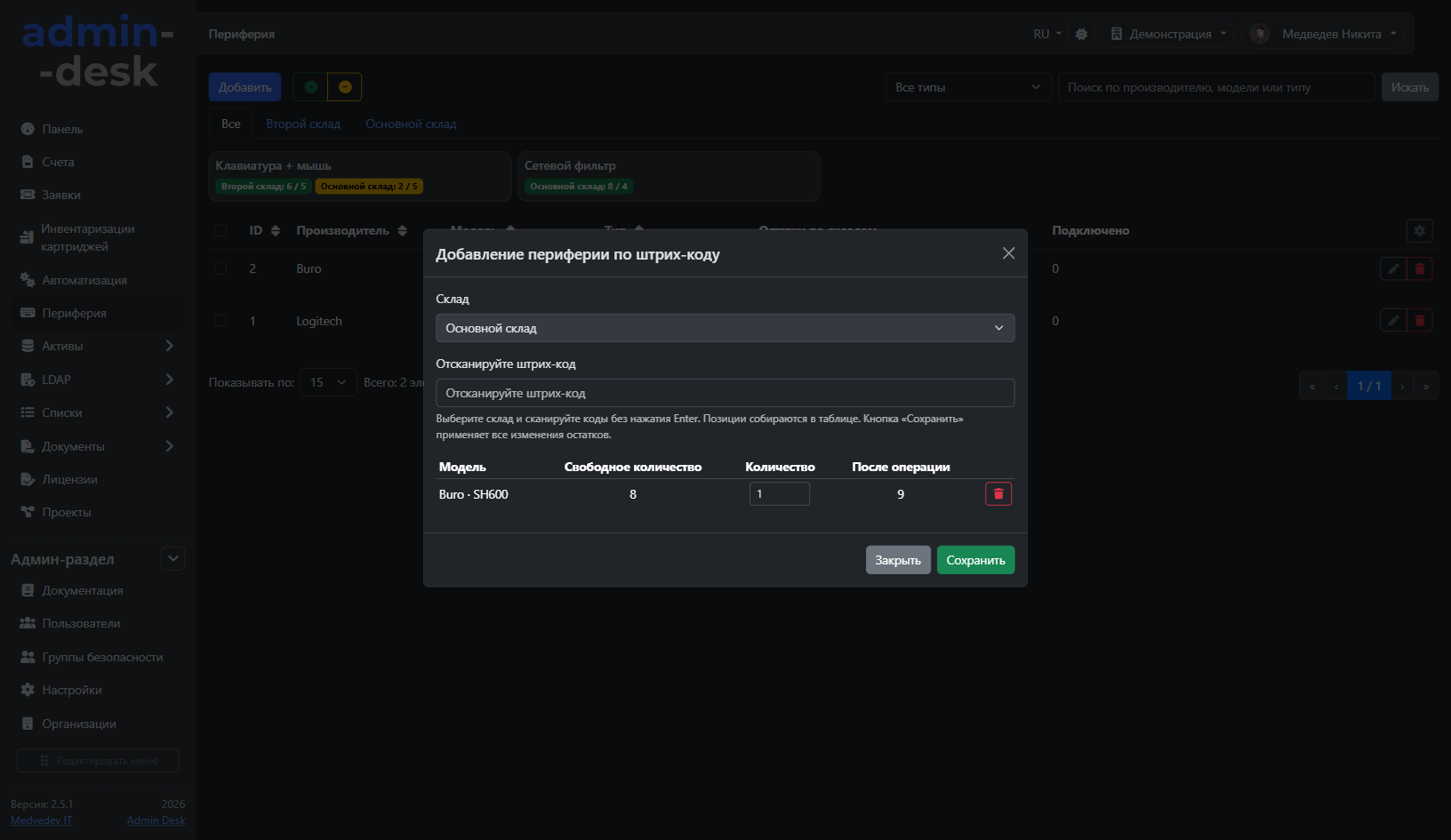
A model can have several barcodes. To receive or deduct stock, select a warehouse and scan items in sequence. Scanning the same item again increases its quantity; incorrect rows can be removed and quantities adjusted manually. Mobile camera scanning requires HTTPS or localhost.
The batch takes effect when saved. Closing the dialog without saving leaves stock unchanged, and deductions cannot exceed the available quantity. Quick −1 and +1 actions handle small adjustments. Changes are recorded in history to help investigate discrepancies.
What is connected to a workstation
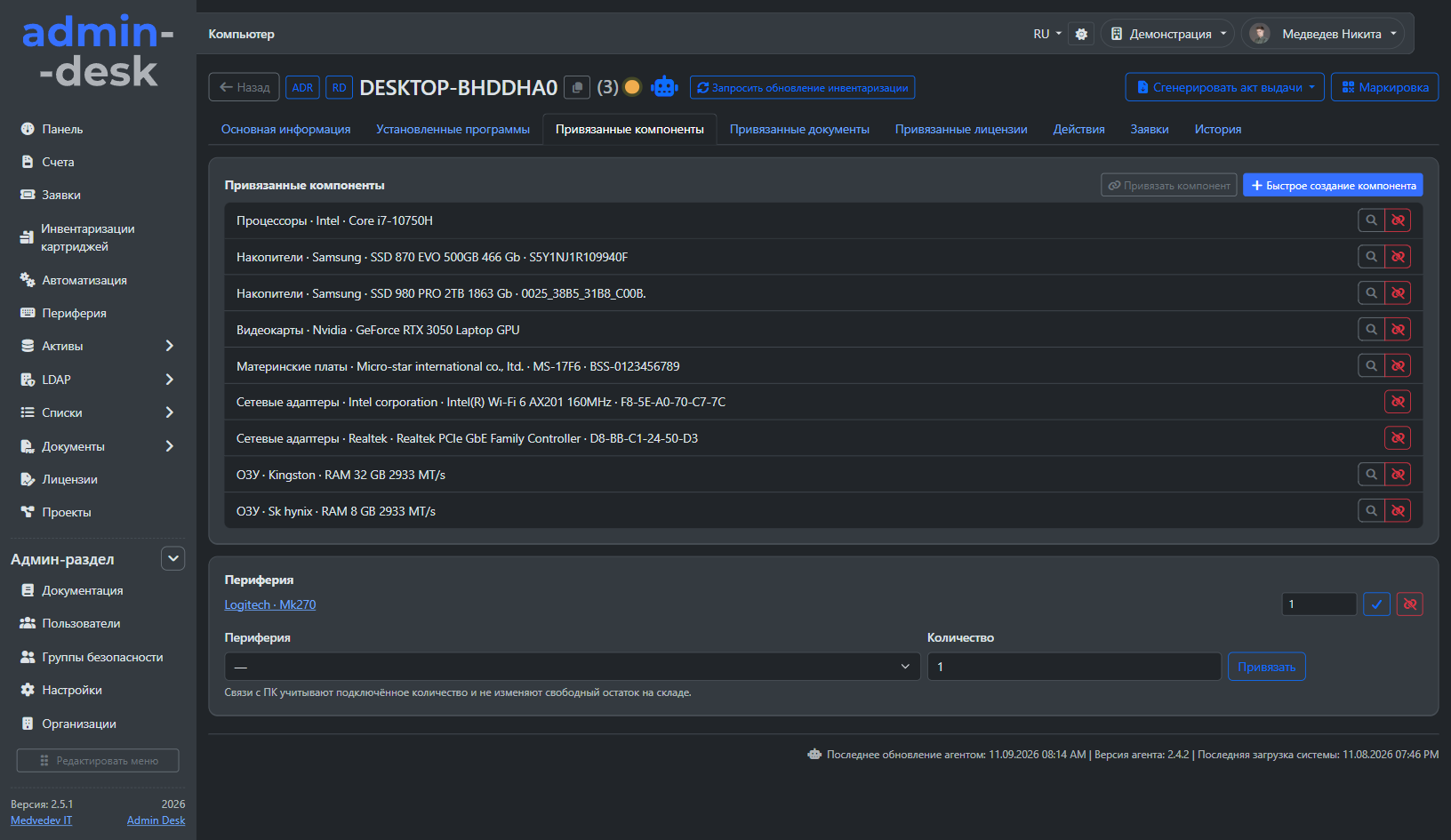
A peripheral model can be linked to several computers with a quantity for each connection. The relationship is visible from both sides: an engineer can inspect the workstation from the PC record, while an inventory operator can find where a particular model is used.
The device relationship and the stock movement are separate actions. Changing a connected quantity does not automatically deduct or return warehouse stock. This keeps physical handovers separate from corrections to a workstation's description, avoiding unexpected inventory movements.
Reserving a future handover
Peripherals can be included in an equipment reservation by model, warehouse and quantity. A complete starter kit can therefore be prepared alongside a computer and monitor. Stock cannot be reduced below the quantity already reserved.
After the physical handover, complete the reservation and record the stock movement. If the employee's start is cancelled, remove the reservation to make the equipment available for planning again.
Cartridges throughout their lifecycle
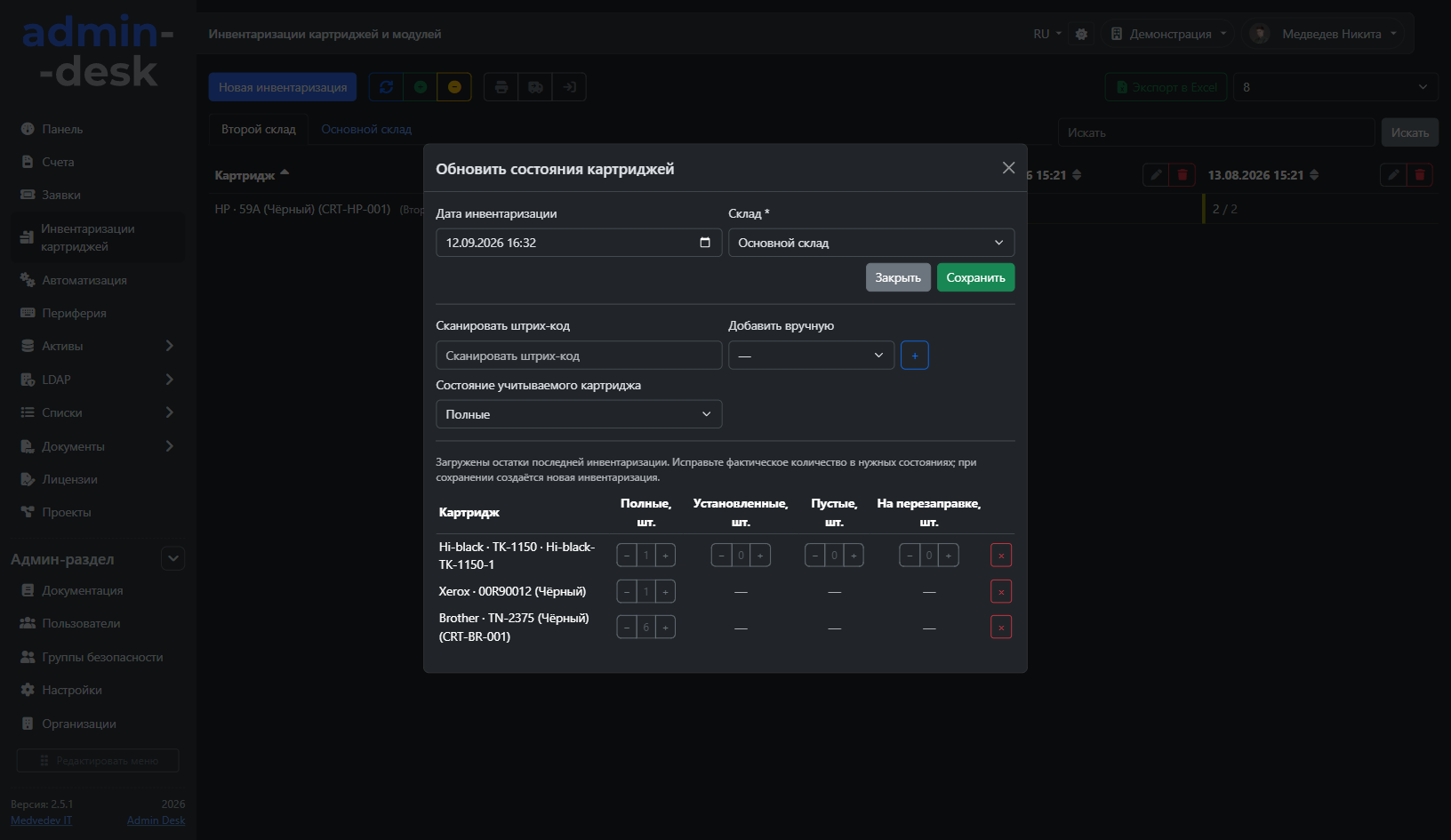
Cartridge tracking distinguishes full and empty units, those sent for refilling and those installed in printers. State transitions represent the normal cycle: issue a full cartridge, receive an empty one, send it for service and return it to stock.
Individual tracking adds unique barcodes, refill counters and refill limits. This makes it possible to distinguish physical units of the same model and decide when replacement is appropriate based on their history.
Stock connected to purchasing and support
Peripherals can be linked to invoices, documents, ITSM tickets and projects. Purchasing headsets, receiving them and equipping workstations become parts of a connected process. Quantities belong to the selected organization, while shared type and manufacturer directories keep naming consistent.
See also equipment and reservations and purchasing and documents.