Purchasing involves more than uploading an invoice. Teams need to verify payment, track delivery, associate the purchase with equipment and retain contracts and license expiry dates. Admin Desk connects invoices, counterparties, documents and assets throughout this process.
A purchasing register with clear states
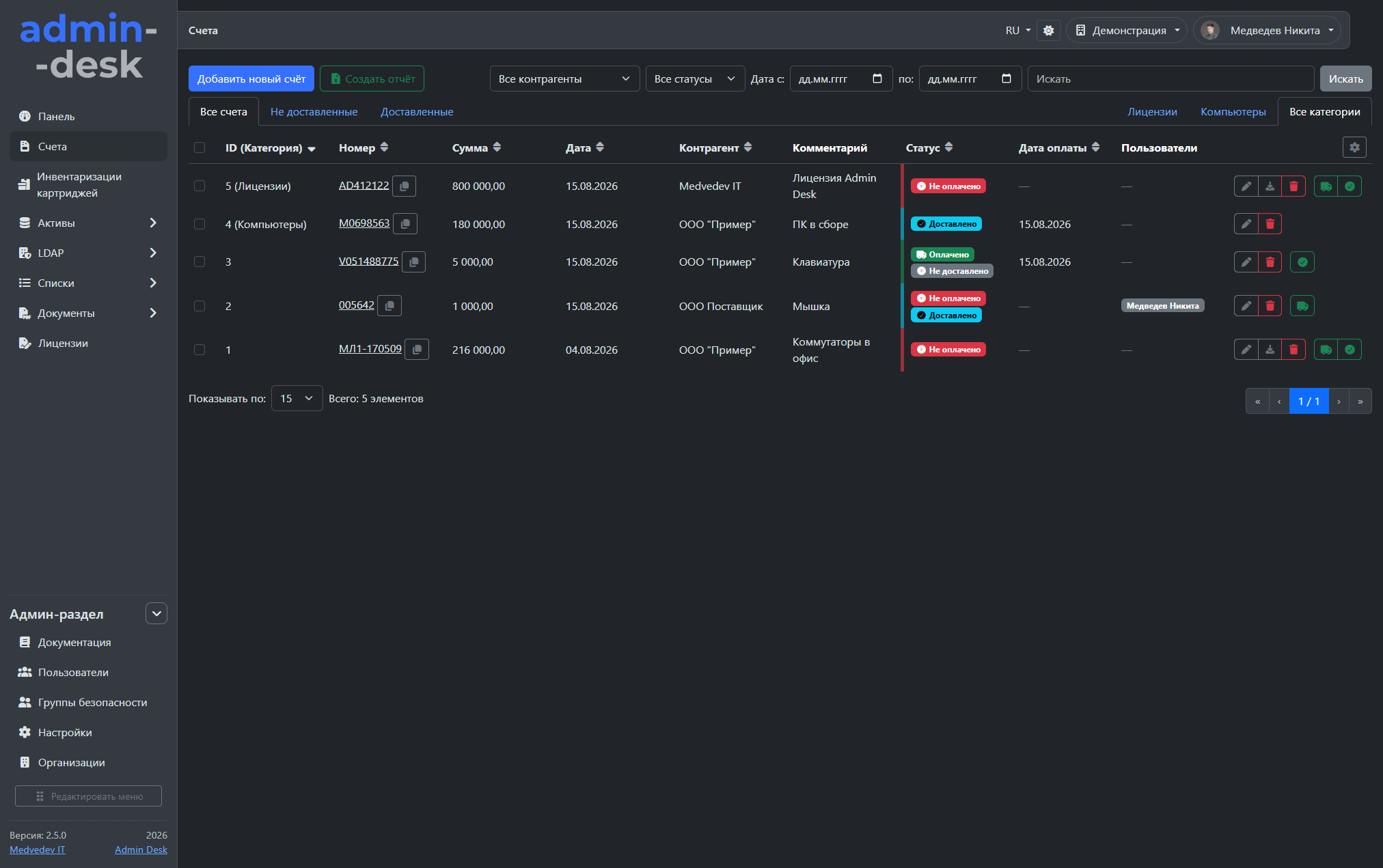
The invoice list provides search, categories, filters and separate payment and delivery indicators. Paid items that have not arrived can be reviewed independently, with access to the attached file and related records.
Reports use status conditions such as unpaid, or a combination of paid and delivered. This separates the active purchasing queue from completed deliveries. Restricted permissions can limit an employee's view to invoices in which they participate.
Recognizing invoices instead of retyping
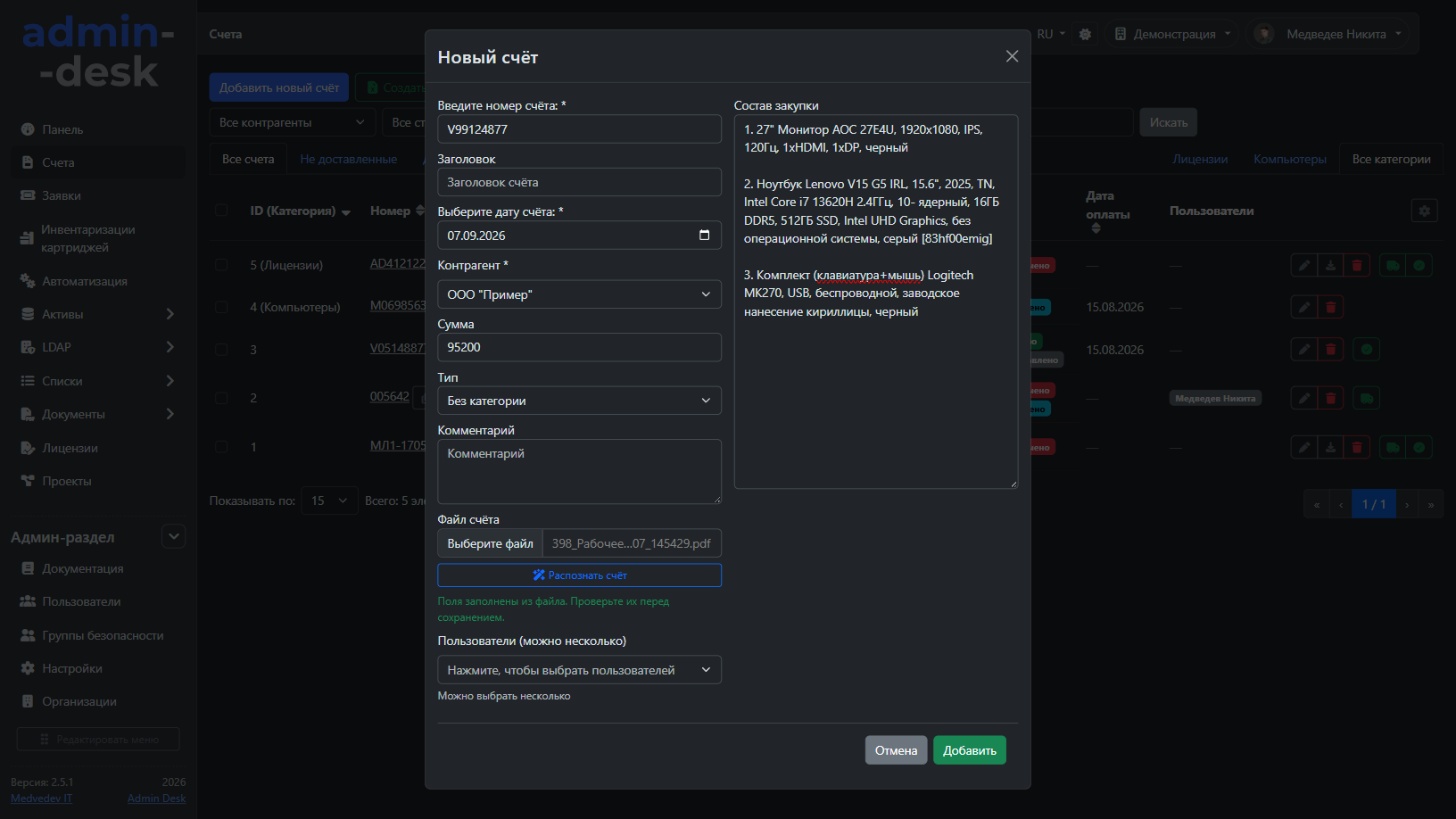
After uploading a file, recognition can populate fields for review. Local text extraction, including scanned documents, reduces manual copying of details and purchase items without sending the file to a cloud recognition service.
The result remains a draft for human checking: quality depends on the source document, and populated values should be verified before saving. This is especially helpful for multi-line invoices, where manual entry takes longer and creates more opportunities for mistakes.
Payment verification with 1C:Accounting
The integration reads published payment documents through OData. An extracted invoice number is matched against Admin Desk records, with the counterparty's tax identifier providing an additional check. A successful match records payment and its date.
Alternatively, payment notifications can be processed from a selected IMAP folder using configured extraction rules. These features update purchasing records; they do not execute payments or replace an accounting system. The separate 1C:ZUP integration handles employee details and absences.
Documents, custom fields and archives
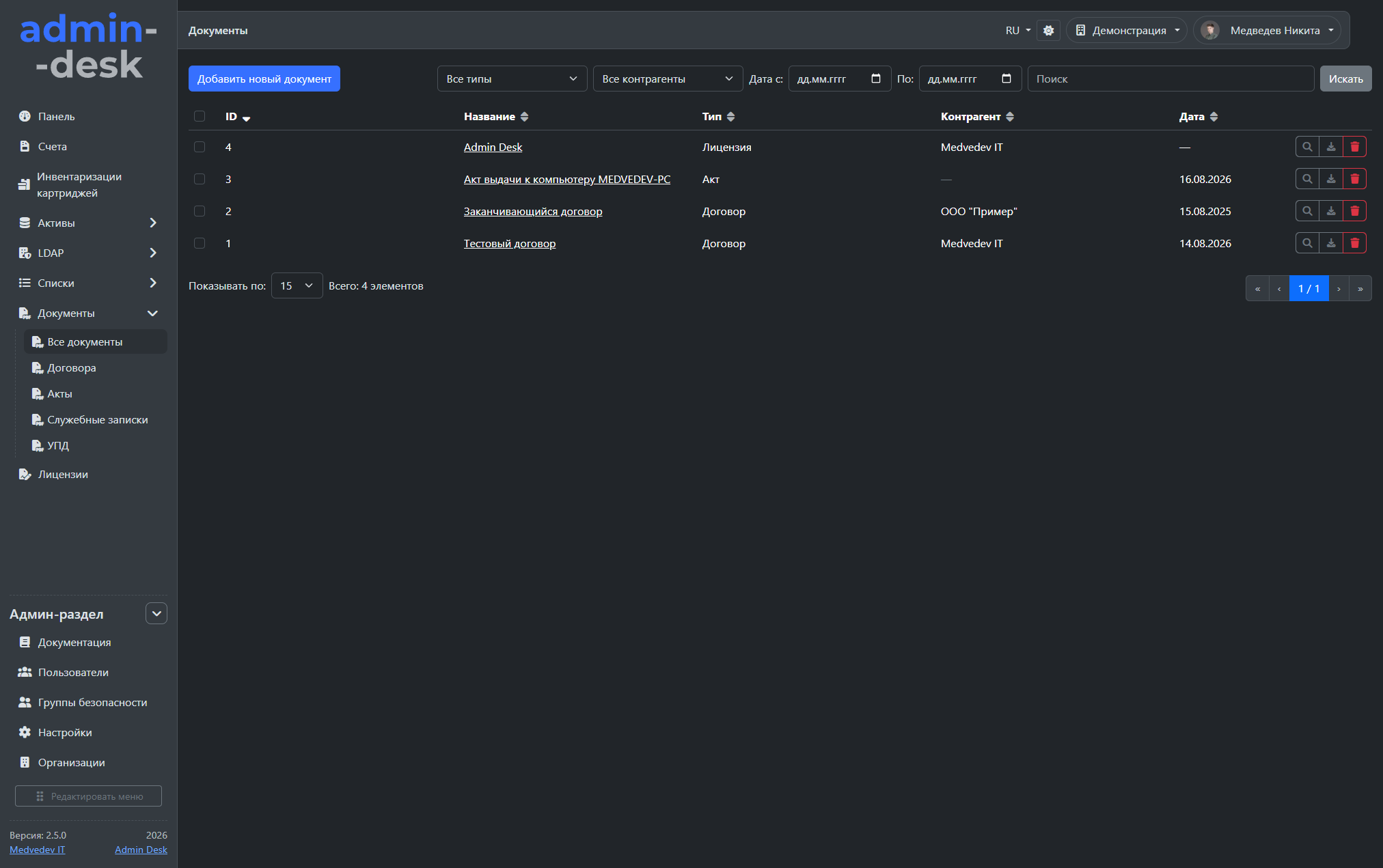
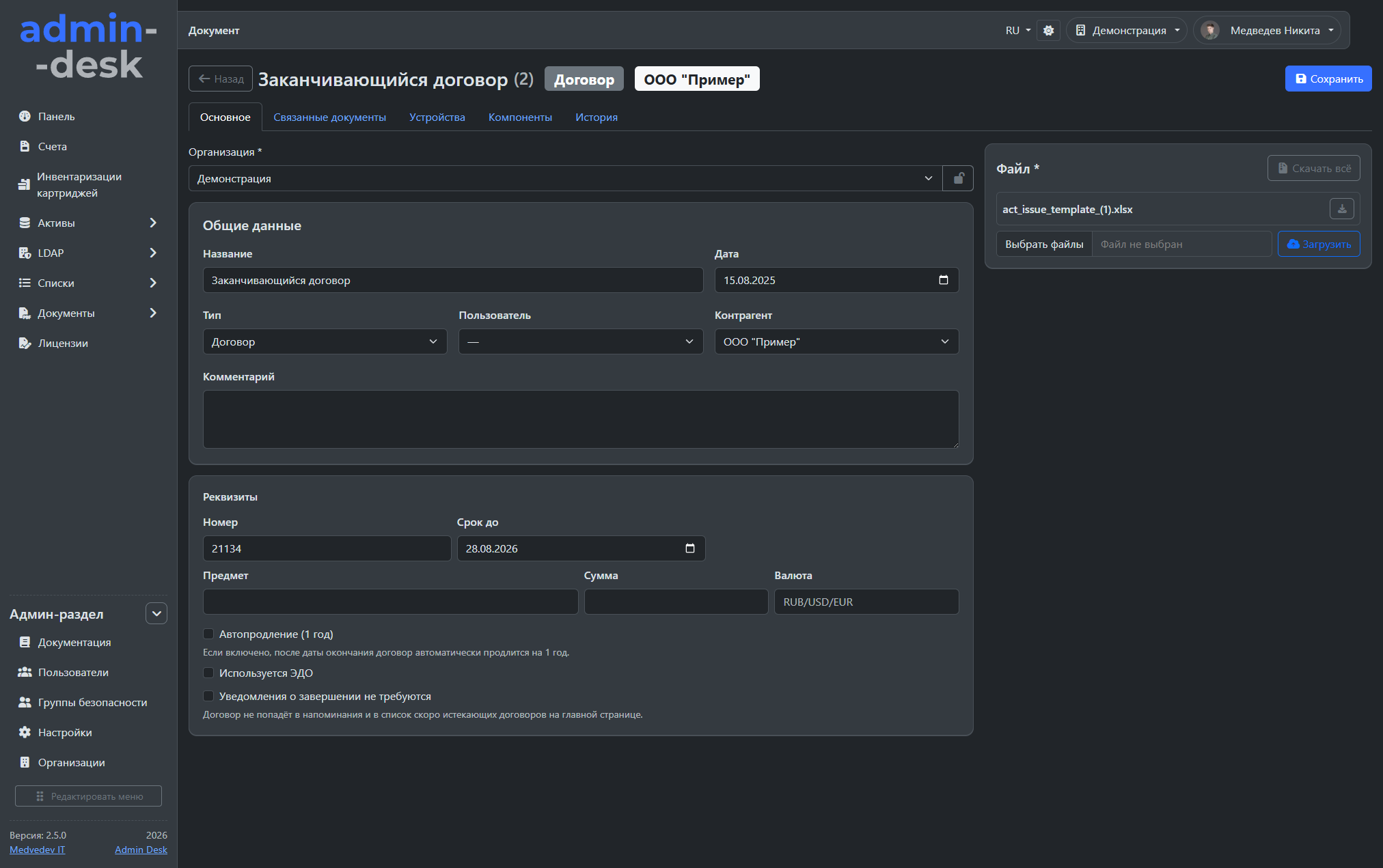
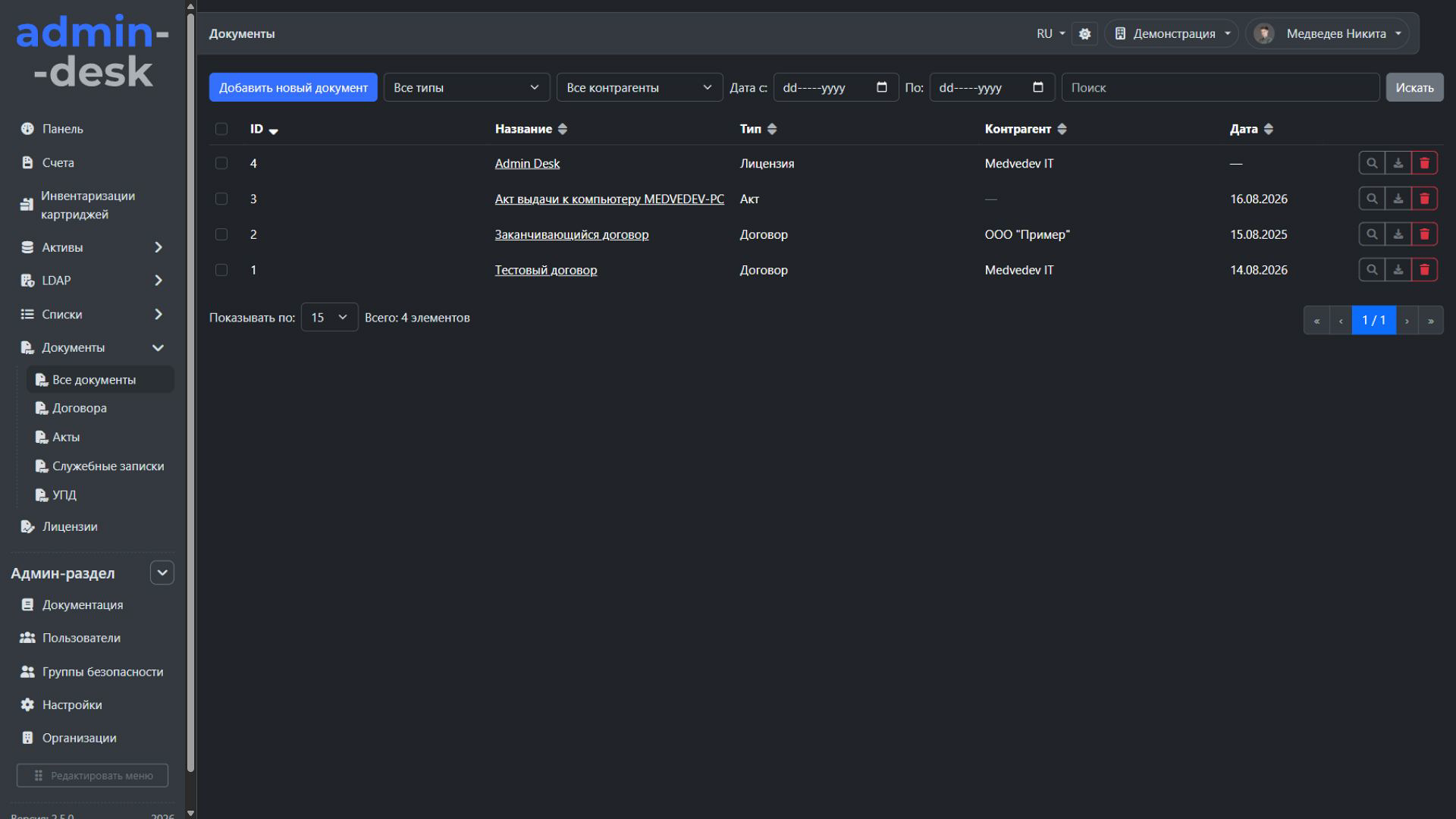
Records hold contracts, handover documents, delivery notes, licenses and other document types. Shared details are supplemented by fields specific to the chosen type. Custom types can have additional fields with a configurable order, available in records and list filtering.
Active and archived documents are separated. A document can be archived and restored without deleting it. Parent-child relationships preserve the structure of a document set, such as a contract and its supplementary agreements.
Expiry dates and digital assets
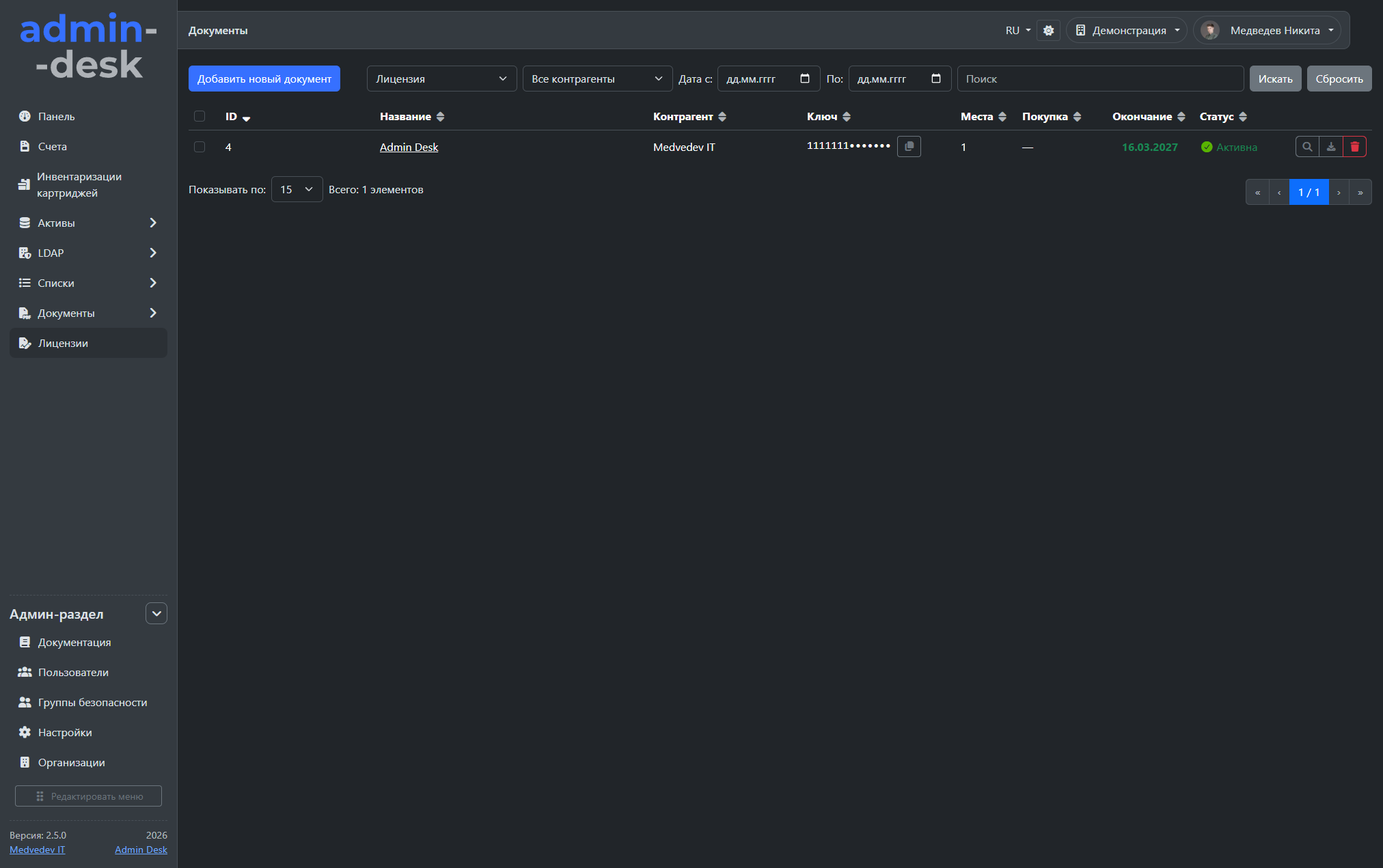
Licenses and contracts retain relevant dates, while domains and SSL certificates include registration information, expiry and automatic-renewal flags. Summaries and notifications help identify upcoming work. Contract reminders can be disabled when they are not needed for a particular process.
Electronic-signature certificates and machine-readable powers of attorney also have dedicated records. Information extracted from an uploaded file helps populate their fields. This is tracking of assets and document details, not a promise to establish the legal validity of every document.
Relationships instead of folder searches
Invoices and documents can be linked to computers, other assets, domains, certificates and tickets. A document record provides files and navigation to related objects, and its files can be downloaded as an archive. The device shows the basis of its purchase, while the invoice shows what was acquired and where it is used.
Purchasing within a ticket
An ITSM ticket can be sent into a purchasing workflow by linking existing invoices or creating one directly from the ticket, including file recognition. Waiting for payment or delivery becomes an explicit part of the process before work resumes.
Related articles: tickets and approvals and equipment inventory.